By simple pressing of
/
-
+
in AUTO mode it is possible to make a short-term
change of required temperature. The socket will maintain this temperature up
to next temperature change as dened in the program.
If the room temperature is lower than 3 °C, TS10 switch on automatic the
connected device. As soon as the temperature rise the TS10 comes back to the
preset mode.
Press
Fce
and by
/
-
+
button select OF:F function
and conrm by
i
. In this way, TS10 is permanently
switched o. In this mode, symbol OF:F and antifreeze temperature
3°C are showed alternatively on the display. For deactivation of this function
press
Fce
button and select dierent mode with using of
/
-
+
button.
Note: in OFF mode is maintained the antifreeze temperature 3°C!
Short-term change of temperature in AUTO mode:
Antifreeze protection:
Function“ OFF “ :
3. ANOTHER FUNCTIONS
1. Press
Fce
button and choose with
/
-
+
function MANU and conrm
i
.
2. By
/
-
+
buttons set the required temperature e.g. 5 °C.
3. This temperature will be kept till the further manual temperature change.
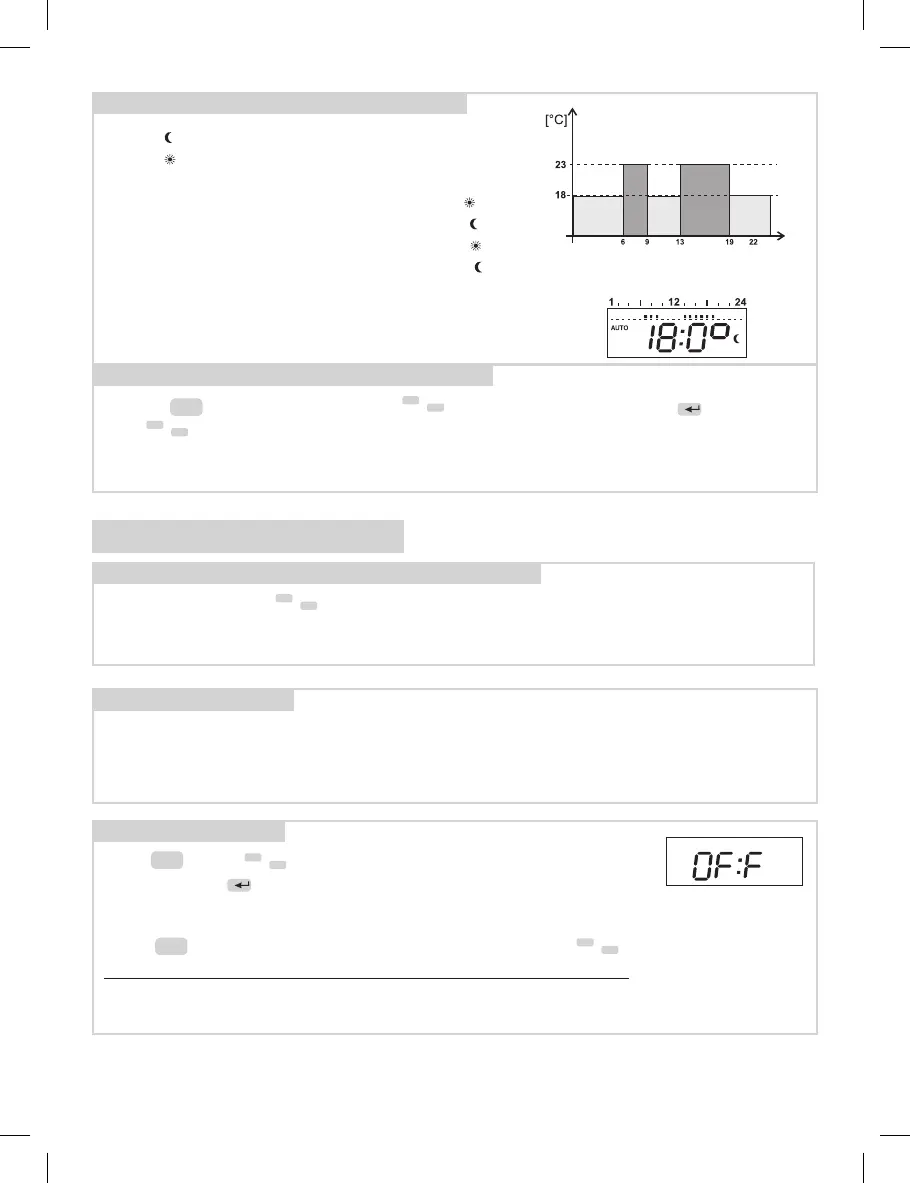
EXAMPLE keeping of constant temperature
representation of
program course on LCD
1. Set on 18°C (PA:r2)
2. Set on 23°C (PA:r3)
3. Select programming of whole week d1:7 (Prog)
4. 17:U1 assign time 6:00 and temperature
5. 17:U2 assigm time 9:00 and temperature
6. 17:U3 assign time13:00 and temperature
7. 17:U4 assign time 19:00 and temperature
8. Leave the programming mode by pressing button
and select AUTO mode.
EXAMPLE denition of weekly program
Mo - So
5


 To Next Page
 Loading...