MX 3900 / MX 4900
Operation
14
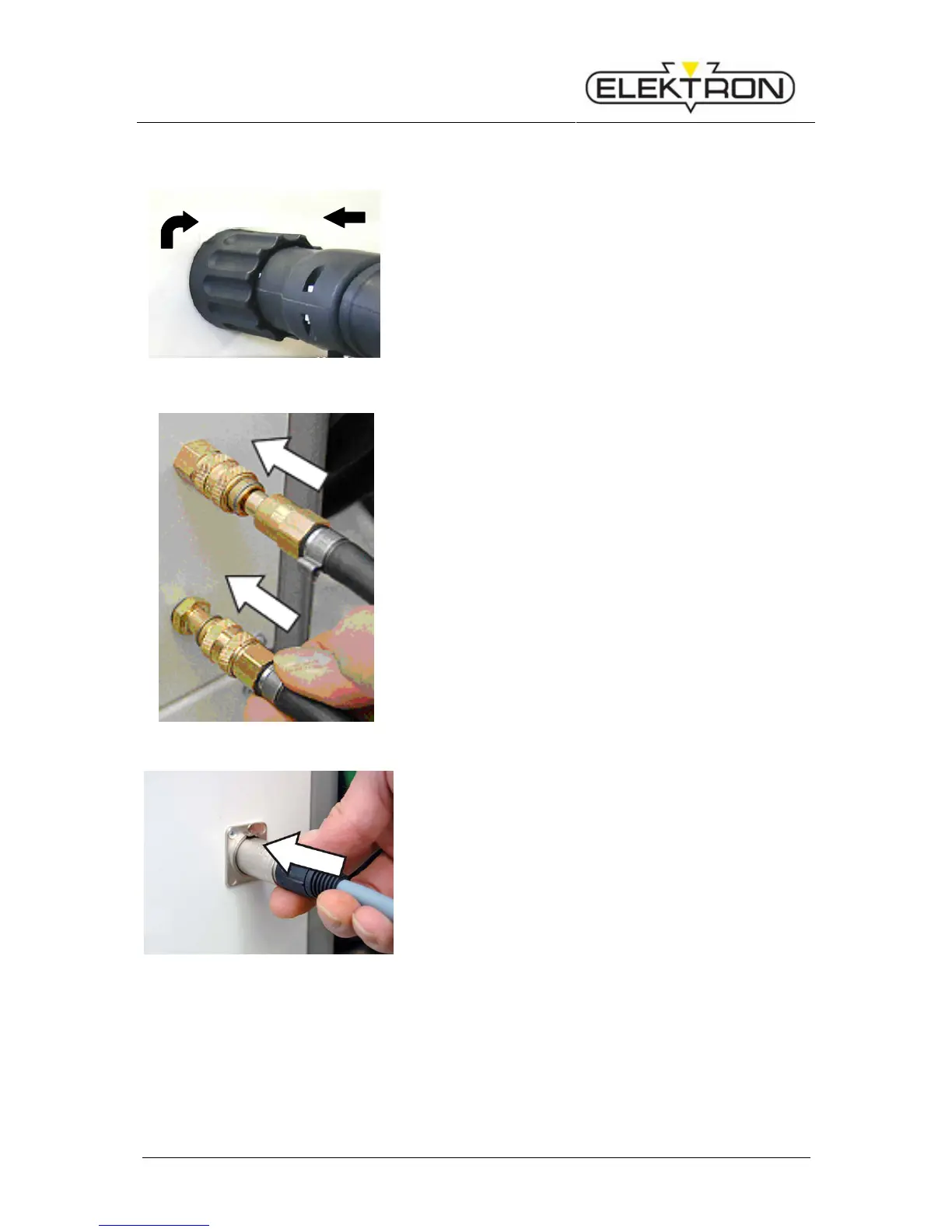
5.1.2 Connecting the pliers
2.
1.
Fig.3: Connecting the pliers
1. Push the main plug of the welding pliers into the main
socket of the equipment (Fig.3/1.).
2. Turn the retainer nut clockwise (Fig.3/2.) to lock the
connection. Important: Otherwise the copper plates in
the central connection can be damaged.!
Fig.4: Water cooling system for the pliers
3. Connect the water cooling system of the pliers.
Fig.5: Connecting sensors of the pliers
Applies only for the MX-4900:
4. Connect the sensors of the pliers.


 To Next Page