:Move
MENU
:Return
:Press to Enter
ENTER
0%
Now Searching... Please Wait
Return
Analog Channels Found: 0
Digital Channels Found: 0
:Move
MENU
:Return
:Press to Enter
ENTER
:Move
MENU
:Return
:Press to Enter
ENTER
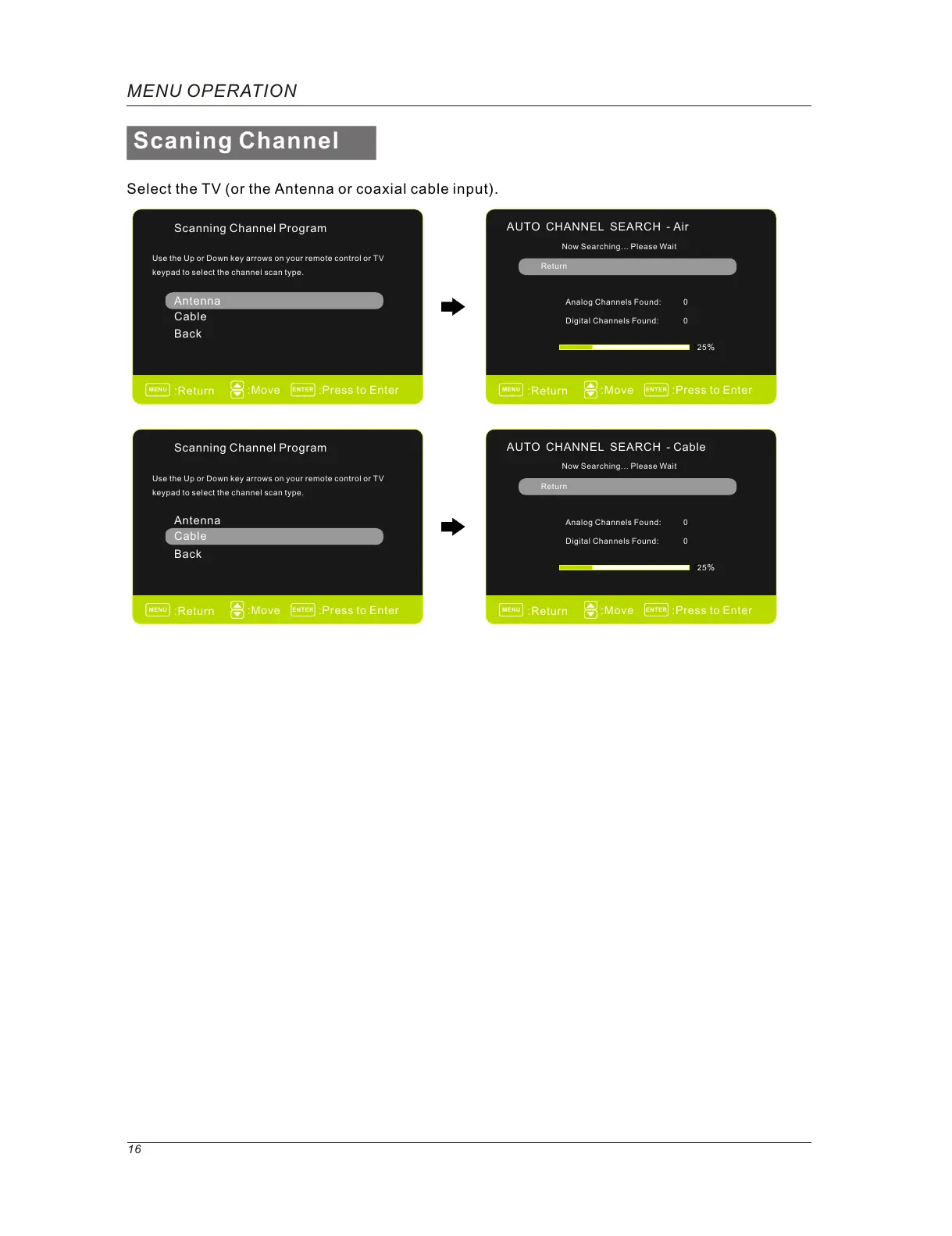
Select the TV (or the Antenna or coaxial cable input).
Scanning Channel Program
Use the Up or Down key arrows on your remote control or TV
keypad to select the channel scan type.
Cable
Antenna
Back
0%
AUTO CHANNEL SEARCH - Air
Now Searching... Please Wait
Return
Analog Channels Found: 0
Digital Channels Found: 0
Scaning Channel
MENU OPERATION
16
:Move
MENU
:Return
:Press to Enter
ENTER
Scanning Channel Program
Use the Up or Down key arrows on your remote control or TV
keypad to select the channel scan type.
Cable
Antenna
Back
AUTO CHANNEL SEARCH - Cable
25%
0%
25%



 To Next Page