18
MENU OPERATION
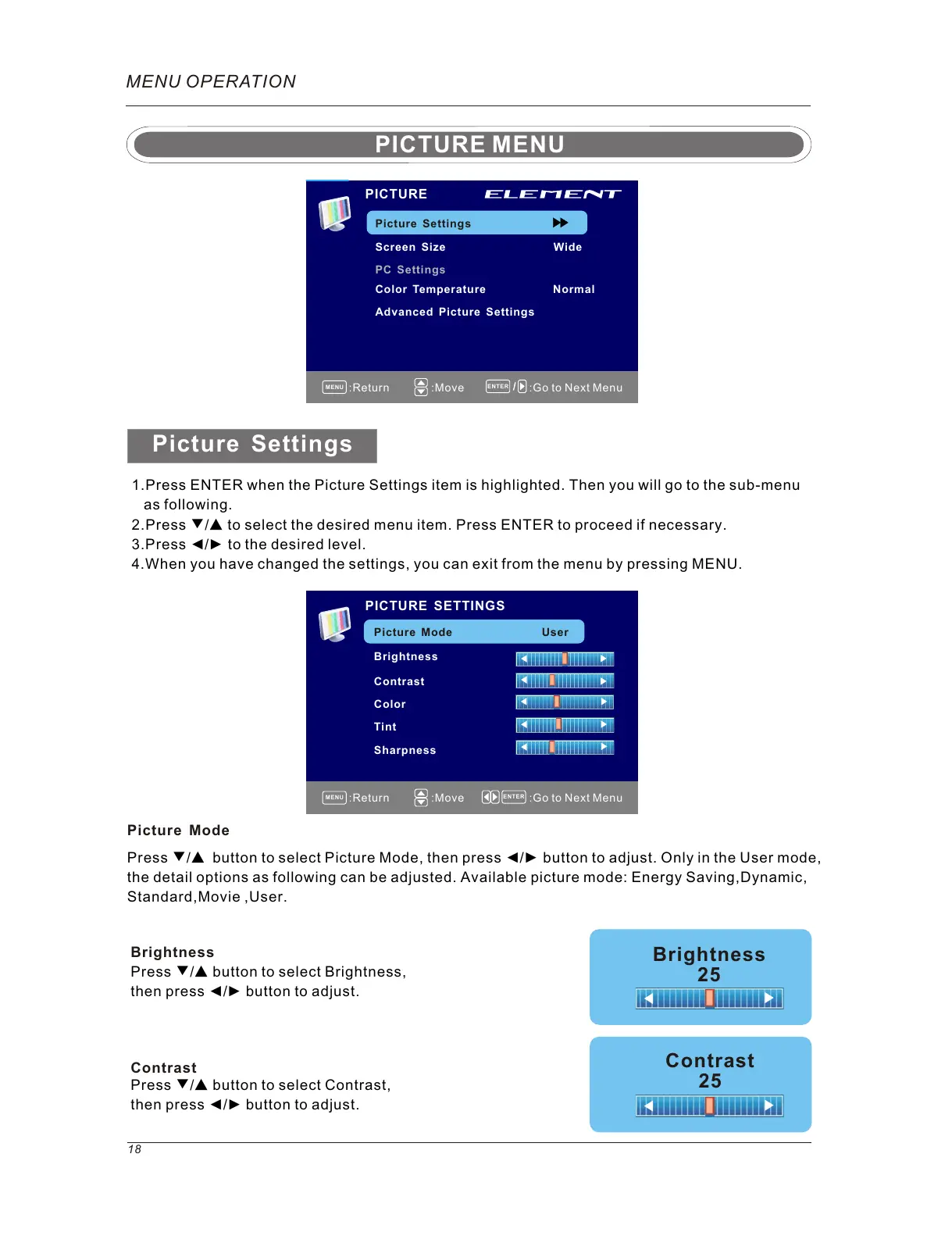
1.Press ENTER when the Picture Settings item is highlighted. Then you will go to the sub-menu
as following.
2.Press ▼/▲ to select the desired menu item. Press ENTER to proceed if necessary.
3.Press ◄/► to the desired level.
4.When you have changed the settings, you can exit from the menu by pressing MENU.
PICTURE SETTINGS
Picture Mode User
Brightness
Contrast
Color
Tint
Sharpness
Press ▼/▲ button to select Picture Mode, then press ◄/► button to adjust. Only in the User mode,
the detail options as following can be adjusted. Available picture mode: Energy Saving,Dynamic,
Standard,Movie ,User.
Picture Mode
Picture Settings
Color Temperature Normal
Advanced Picture Settings
Picture Settings
Screen Size
PC Settings
PICTURE
PICTURE MENU
MENU
ENTER
:Return
:Move :Go to Next Menu
MENU
ENTER
:Return
:Move :Go to Next Menu
Wide
Brightness
25
Contrast
25
Press ▼/▲ button to select Brightness,
then press ◄/► button to adjust.
Brightness
Contrast
Press ▼/▲ button to select Contrast,
then press ◄/► button to adjust.



 To Next Page