Front View
5. FRONT/BACK CONNECTIONS OF LCD TV
Back View and Control Connections
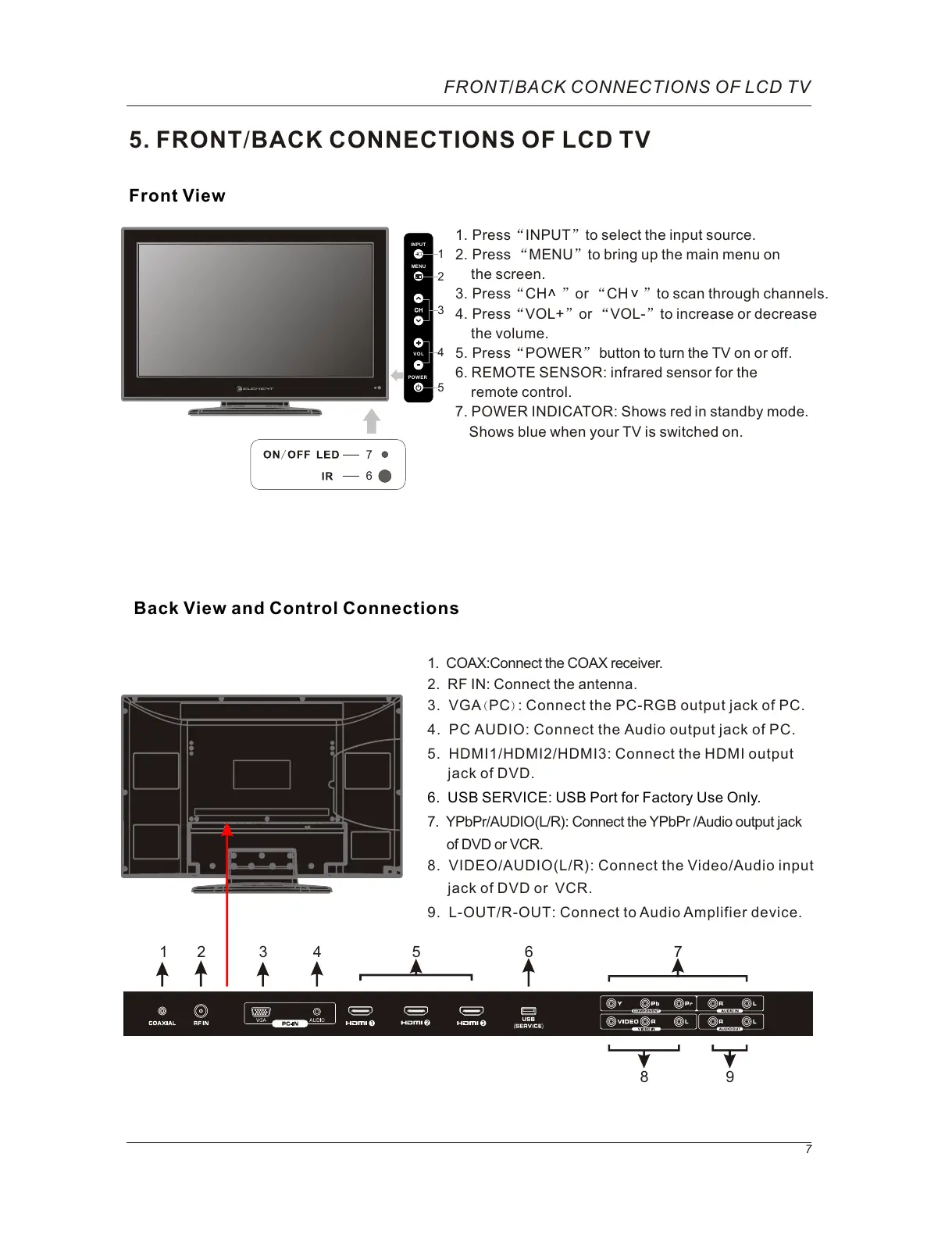
1. Press“INPUT”to select the input source.
2. Press “MENU”to bring up the main menu on
the screen.
3. Press“CH ”or “CH ”to scan through channels.
4. Press“VOL+”or “VOL-”to increase or decrease
the volume.
5. Press“POWER” button to turn the TV on or off.
6. REMOTE SENSOR: infrared sensor for the
remote control.
7. POWER INDICATOR: red in standby mode.
blue when your TV is switched on.
Shows
Shows
6
7
FRONT/BACK CONNECTIONS OF LCD TV
7
8. VIDEO/AUDIO(L/R): Connect the Video/Audio input
jack of DVD or VCR.
9. L-OUT/R-OUT: Connect to Audio Amplifier device.
5. HDMI1/HDMI2/HDMI3: Connect the HDMI output
jack of DVD.
7. YPbPr/AUDIO(L/R): Connect the YPbPr /Audio output jack
of DVD or VCR.
2. RF IN: Connect the antenna.
6. USB SERVICE: USB Port for Factory Use Only.
3. VGA( PC): Connect the PC-RGB output jack of PC.
4. PC AUDIO: Connect the Audio output jack of PC.
1. COAX:Connect the COAX receiver.
<
>
1
9
4
5
8
7
3
2
6
INPUT
MENU
VOL
POWE R
1
2
3
4
5



 To Next Page