Need help?
Do you have a question about the Element FLW-1920B and is the answer not in the manual?
Essential safety guidelines for operating and maintaining the TV to prevent hazards.
Specific safety recommendations for installing and using antennas with the TV.
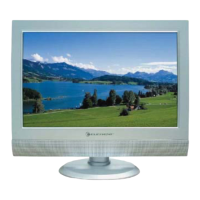
Overview of the TV model, its main capabilities, and connection ports.
Lists all items included in the TV package for setup and operation.
Step-by-step guide for assembling the TV stand.
Identifies physical controls on the TV and explains the functions of the remote control buttons.
Illustrates and describes all input/output jacks on the back of the TV.
Explains the function of each button on the television's remote control.
Instructions for connecting TV signals via antenna or coaxial cables.
Guidelines for connecting cable TV services, including converter/descrambler setup.
How to connect external devices using Composite, S-Video, and Component video/audio cables.
How to connect AV equipment using HDMI/DVI and connect a computer to the TV.
How to connect audio receivers or sound systems for enhanced audio output.
Adjusts the display aspect ratio for different video content.
Guides on accessing and navigating the program guide and on-screen menus.
Adjusts picture parameters like picture mode, contrast, brightness, and sharpness.
Configures sound options including bass, treble, balance, and sound effects.
Configures channel scanning, tuner modes, and channel skip options.
Adjusts system-wide settings such as language, captioning, and parental controls.
Manages content blocking, channel locks, and rating systems for TV and movie content.
 General
| Screen Size | 19 inches |
|---|---|
| Display Technology | LCD |
| Aspect Ratio | 16:9 |
| Brightness | 250 cd/m² |
| Contrast Ratio | 1000:1 |
| Response Time | 5ms |
| Speakers | 2 x 3W |
| Viewing Angle | 170°/160° (H/V) |
| Inputs | HDMI, VGA, Composite, RF |


 To Next Page