QUICK START GUIDE12 FOR SUPPORT, VISIT ELEMENTELECTRONICS.COM/SUPPORT 13
HOW TO REPLACE
BRUSHROLL OR BELT
HOW TO MAINTAIN
BRUSHROLL
3 4
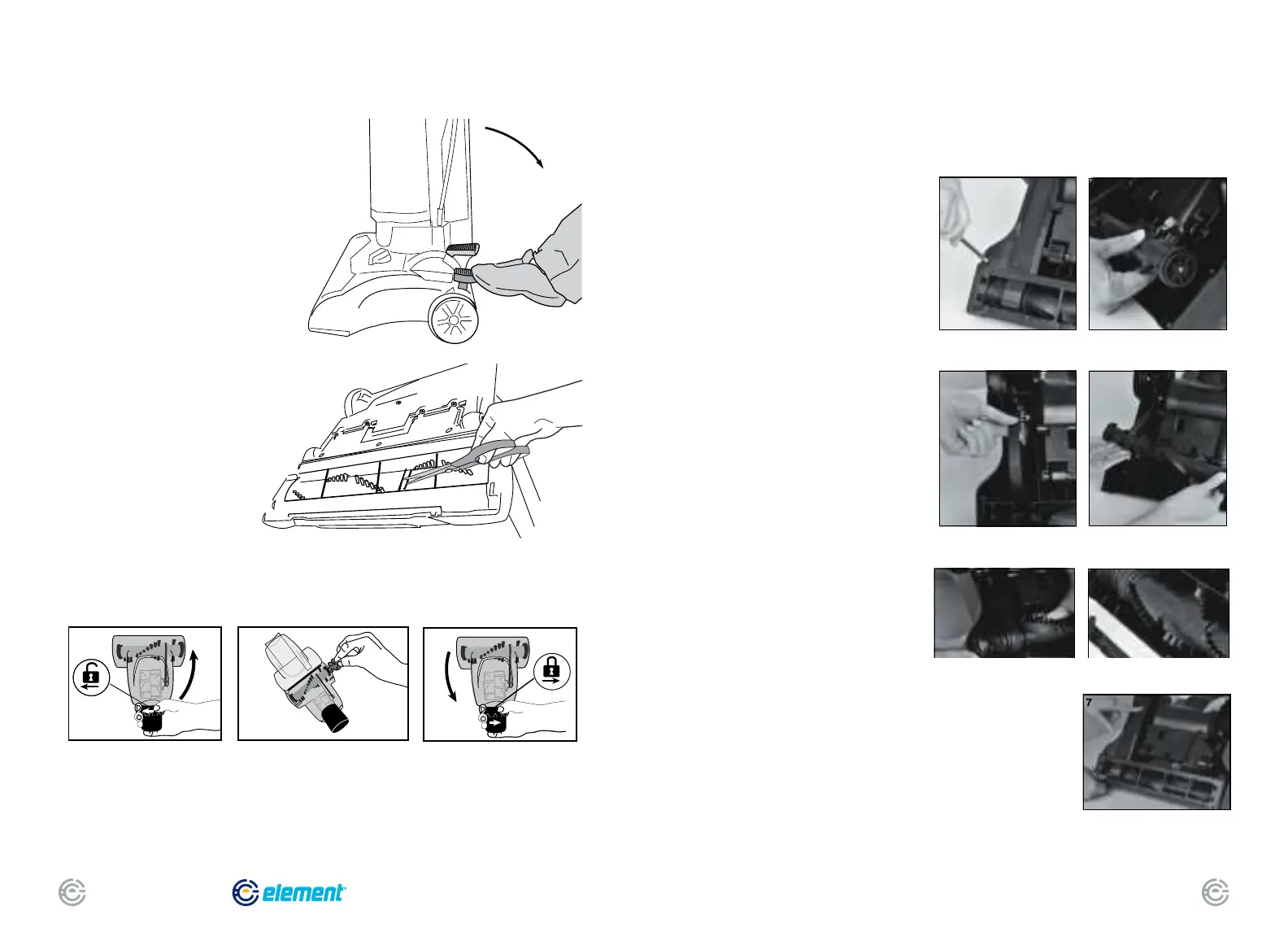
• Step on handle release
to lower handle.
• Turn vacuum face down on oor.
• To avoid unnecessary service
calls, check brushroll for debris.
• Use scissors to clip heavy
threads or strings.
Caution: Make sure vacuum
is turned off and power
cord is unplugged.
Close cover and twist collar
to lock.
Grasp collar and twist to unlock
cover. Lift cover up.
With cover open, use ngers
or small brush to clear
accumulated pet hair
from bristles.
• Step on handle release and lay
vacuum cleaner face down.
• Use Phillips screwdriver to remove
6 screws from brushroll cover
(Fig. 1). Lift off cover. Refer to
Fig. 7 for location of screws.
• Rotate right end of brushroll
and lift out (Fig. 2).
• Lift out left end of brushroll.
• To replace belt, position new belt
around motor shaft (Fig. 3).
• Loop new belt around brushroll
shaft at left end of brushroll (Fig. 4).
• To reposition brushroll into base,
pull belt down and insert left end of
brushroll rst. Align brushroll end cap
with slot so it ts into position (Fig. 5).
Press right end of brushroll into position.
• To replace brushroll cover, align
slot on cover with tab (Fig. 6) and
snap cover into place. Replace 6
screws (Fig. 7).
Caution: Make sure
vacuum is turned off
and power cord
is unplugged.
3
2
1
4
6
5
5 6
1 2


 To Next Page