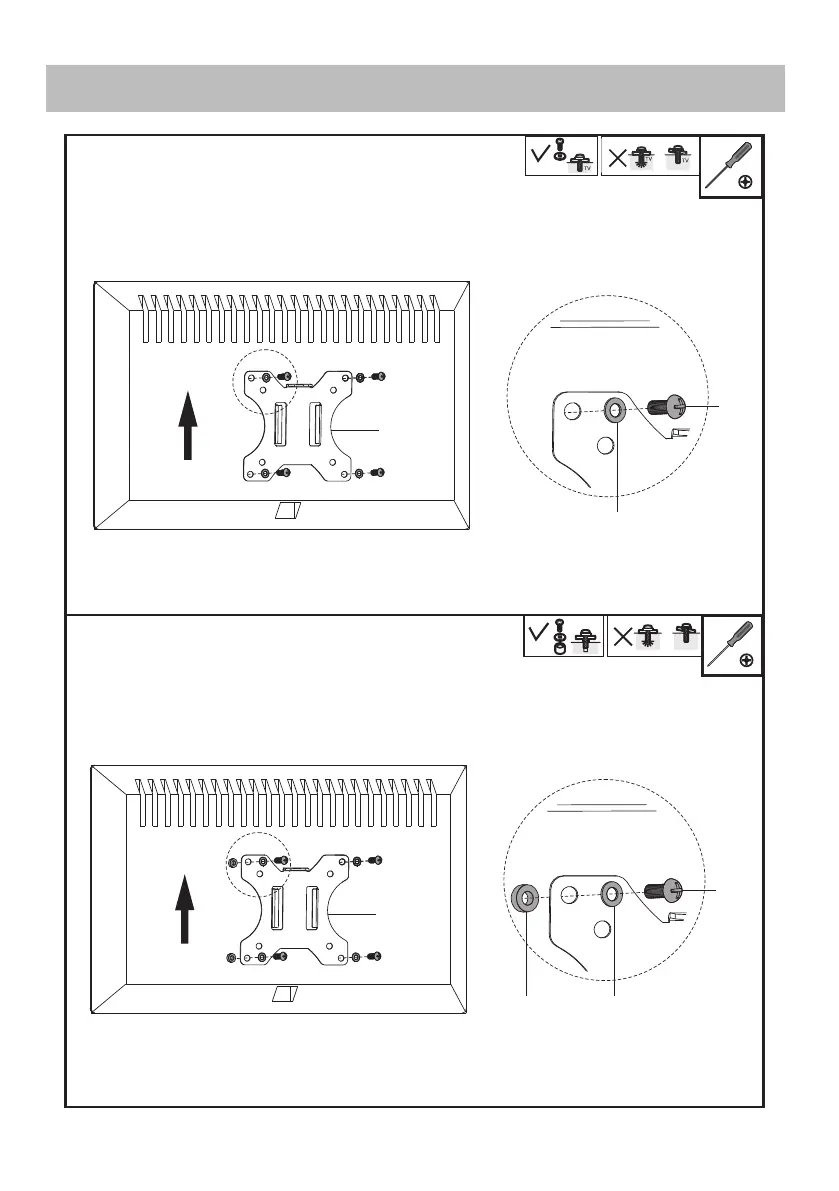
OPTION A: Flat Back Monitor
STEP 2 Attach the monitors to the arm
Attach the VESA plate (B) to back of monitor and secure with screws (M-A) or (M-C) with
washers (M-E). Avoid excessive tightening screws damage the monitor.
OPTION B: Curved Back Monitor
Attach the VESA plate (B) to back of monitor and secure with screws (M-B) or (M-D) with
washers (M-E) and washers (M-F). Avoid excessive tightening screws damage the monitor.
B
M-A
M-C
M-E
TV
TV
TV
M-B
M-D
M-E
M-F
B


 To Next Page