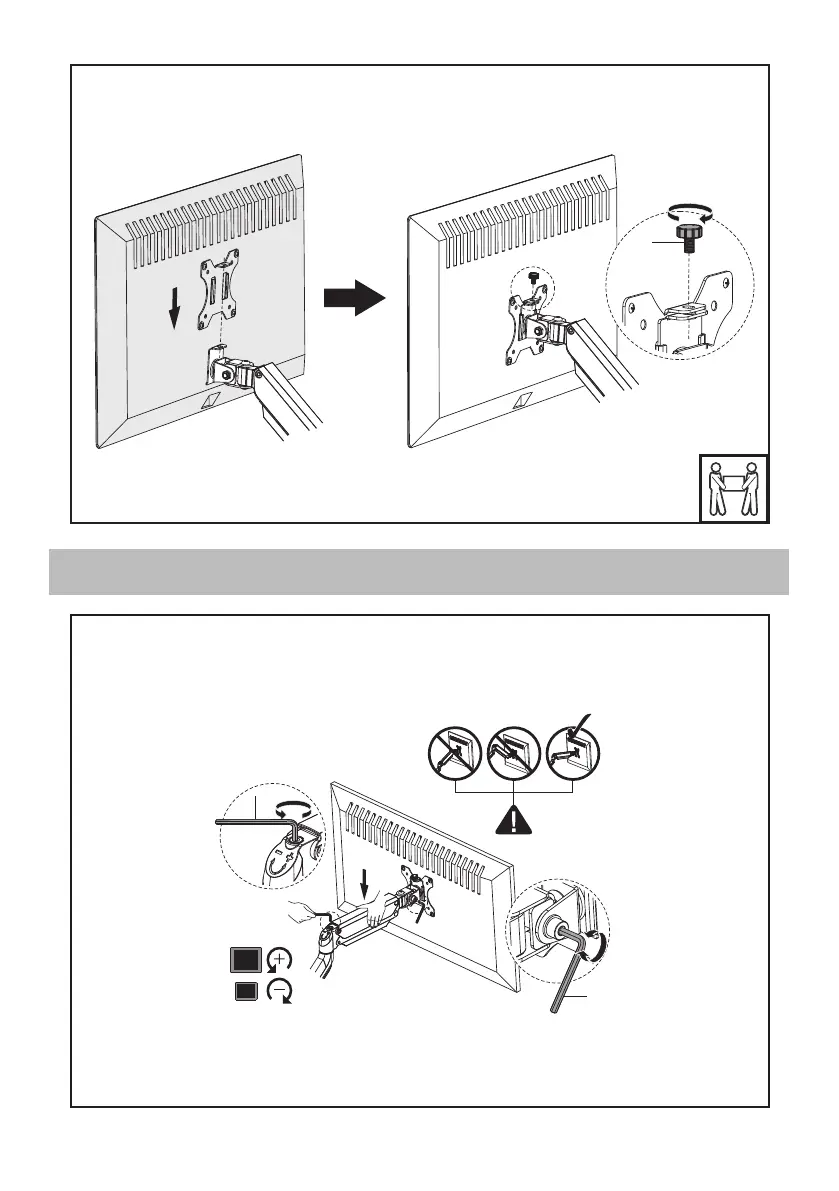
Slide the monitor onto the head of swivel arm, install the security nut (K). Make
sure the security nut is installed before you rotate the monitor.
Adjust gas spring tension by turning
screw with 6mm Allen wrench (P) .
Clockwise(" - " direction) reduces
tension, counter Clockwise("+"
direction increases tension. The tension
should be just enough to hold your
monitor in place without lifting itself
up.
Be sure to keep the arm in horizontal
position during adjustment .0r else it
would be difficult to adjust the mount or
damage the mount.
If needed, adjust the bolt on
the side of the hinge behind
the VESA plate to tighten or
loosen the tilt angle support.
STEP 3 Adjust the tension
K
P
P


 To Next Page