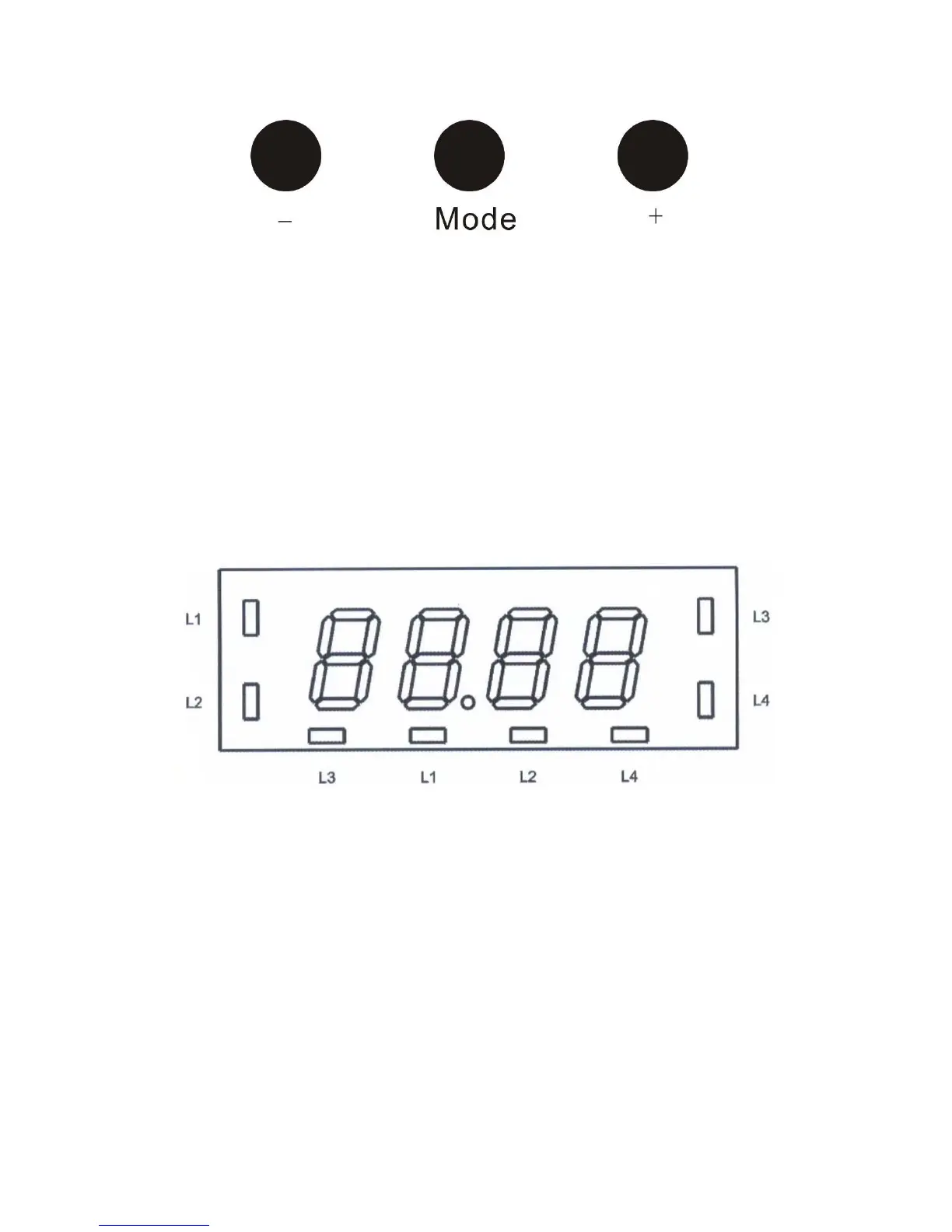
With this arrangement it is possible to select the following four functions:
● Minute minder
● Operation period
● Operation stop
● Time-of-day
These modes can be selected by repeatedly pressing the mode button. The desired time for minute
minder, operation period, operation stop or time-of-day can be set with the “+”and “-“buttons.
As an option, the duration of a pyrolysis can be controlled, if an oven features such function.
2. Programming
2.1 Draft of the display
The LED display is separated in the following way:
New picture with frame outside
L1: Operation period
L2: Operation end
L3: Minute minder
L4: Adjust time-of-day
Depending on the variant in hand either the 4 LEDs at the side of the display or the 4 LEDs
below are active for displaying the mode.
Time of day
When connected to mains supply the display shows 12.00 o’clock and the LED L4 flashes. As
long as it is flashing, it is possible to adjust the time via the plus and minus buttons.
Once the time is adjusted, it is stored approx. 5 seconds after the last operation, the LED L4 goes



 To Next Page