7. Meter Data Protection
The EPQS meter has features of physical and software protection of data and parameters from
unauthorised actions.
7.1. Physical Protection of Data and Parameters
The meter is protected from an unauthorised access by the following physical measures:
Sealed front cover
Sealed terminal block
Registration of cover opening actions in event logbok
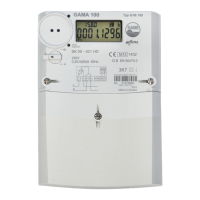
The sealed front cover moulded from transparent plastic restricts the access to the meter circuitry
located under the front panel. The transparent plastic cover is fixed by two sealed screws. One screw
is sealed with the manufacturer’s seal, the other – with metrology centre seal.
The terminal block is sealed after the meter is installed at the user premises. The sealing is performed
by a representative of the organisation that installed the meter.
7.2. Software Protection
The meter has software measures of data protection and the event logbook, for recording parameter
changes and attempts to affect the accuracy of calculations.
7.2.1. Password
All data stored in the meter are password-protected and have various access levels. There are two
levels of access to the meter data and parameters: “user” level (allows data review and changing of
some parameters) and “operator” level (allows review of all data and changing of almost all meter
parameters).
The user password grants rights to change only some of the parameters. Table 7-1 lists parameter
access levels. Each time the connection is established through the communication interfaces, the
meter asks the password. The password consists of any 8 symbols. No parameters can be changed
until the correct password has been provided. If incorrect password is entered four times in a day, the
communication interfaces will be locked for 24 hours. During that period communication is impossible.
7.2.2. Lock of optical interface (optional)
On the user request, meter can be equipped with function “lock of optical interface”. There are
following types of lock:
• Full lock. User is not allowed to communicate with meter until interface is unlocked.
• Lock of parameters. User is not allowed to change meter parameters, but permitted to read all
the meter data.
To unlock optical interface, user needs to push and hold button in position “B” for a second.
7.2.3. Event logbook
The event logbook is a meter memory area that stores the data on the last 8190 events or states.
Table A-5 of Annex A lists events and states that are recorded in the event logbook.
Each event is recorded together with its date and time stamp; if a state is recorded, its beginning and
end date and time stamps are recorded as well.
This information can be displayed on the screen or transmitted through the communication interfaces.



 To Next Page