PAIR RING LIGHT - macOS
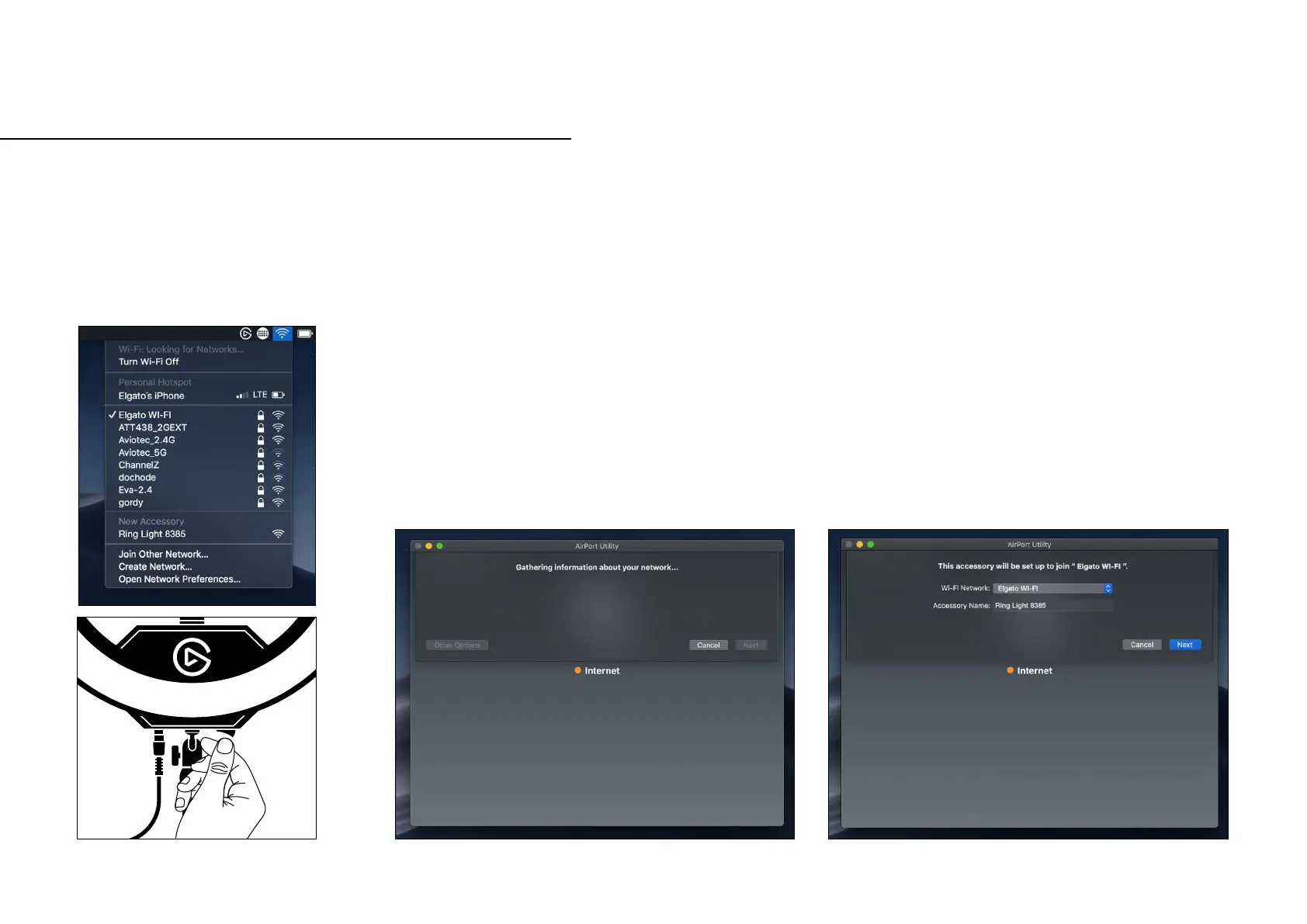
1. Open the Wi-Fi settings
on the Mac. Turn On
Ring Light.
2. Under the New Accessory, select the
Ring Light. It may take a moment for
macOS to get the Wi-Fi information.
It will have a name Ring Light with
four random numbers or letter behind
it “Ring Light 8385”.
3. Choose which Wi-Fi network Ring Light
will join. If it is the same one the Mac
is connected to the Wi-Fi password will
not need to be entered again.


 To Next Page