EasyManua.ls Logo

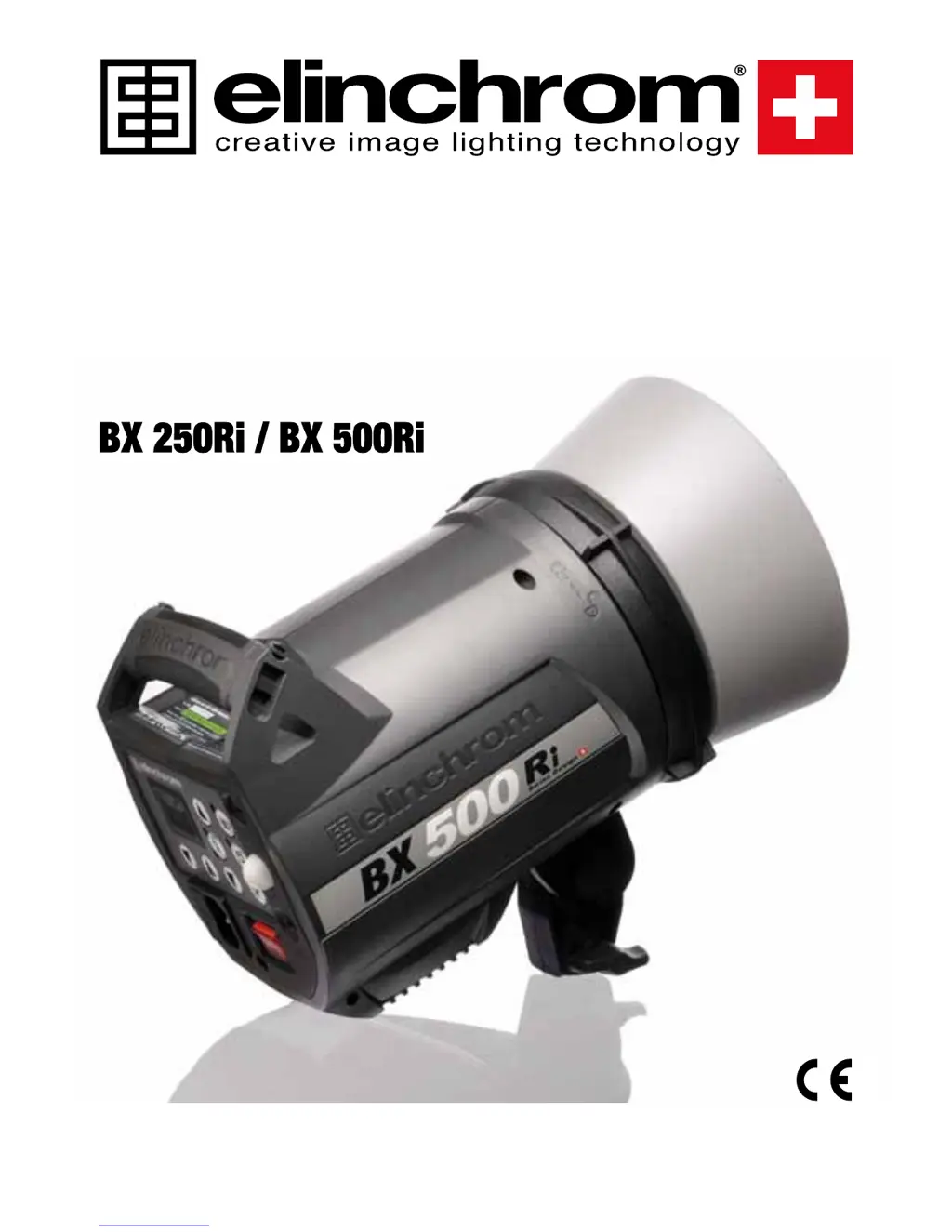
Elinchrom BX 500Ri - User Manual

Elinchrom BX 500Ri
22 pages
Print Icon
To Next Page IconTo Next Page
Loading...
OPERATION MANUAL
GEBRAUCHSANLEITUNG
MANUEL D’UTILISATION
MANUALE D’USO
MANUAL DE FUNCIONAMIENTO
English / Deutsch / Français / Español / Italiano Elinchrom LTD
BXRi 06.04.2010 (73088)

Questions and Answers

Summary

Introduction to BX-Ri Flash Units

BX 250 Ri; BX 500 Ri Compact Flash

Details on the quality and performance of BX-Ri flash units.

FCC Class B Compliance Statement

Compliance statement regarding radio frequency interference for BX-Ri units.

Declaration of Conformity and Conventions

Disposal and Recycling Guidelines

Guidelines for environmentally responsible disposal and recycling of the device.

CE Marking Compliance

Compliance with ECC directives for electromagnetic compatibility and low voltage.

CE Statements for EL-Skyport

Compliance statements for EL-Skyport concerning EMC and Low Voltage directives.

Notational Conventions

Explains symbols and fonts used in the manual.

Safety Note

Elinchrom BX-Ri Features

Included Basic Features

Overview of the fundamental features of Elinchrom compact flashes.

Additional Advanced Programmable Features

Details on customizable features like VFC, PMS, Eye-Cell, and EL-Skyport.

Getting Started with BX-Ri

BX-Ri Operating Instructions

Step-by-step guide for operating the flash unit.

Switch and Fuse Management

Information on power switches, mains fuses, and modelling lamp fuses.

Mains Supply and Fuse Details

Guidelines for connecting to mains, and details on main and modelling lamp fuses.

Control Panel Overview

Detailed Control Descriptions

Detailed description of each control and its function on the flash unit.

Programmable Features and Settings

Reset BX-Ri Unit

Procedure to reset the BX-Ri unit to manufacturer settings.

Modelling Lamp Features & Setup

Configuration options for modelling lamps, including modes and fuses.

Modelling Lamp Specifications and Modes

Specifications for lamps/fuses and explanation of different modelling lamp modes.

Visual-Flash-Control (VFC) and PMS Setup

How to activate and configure VFC and PMS settings for modelling lamps.

Digital Display and Sensor Functions

Digital Multi-Display Explanation

Explanation of the flash power and charge status display.

Synchronization Socket

Details on the 3.5mm sync socket for triggering.

Open Flash Test Function

How to use the test flash function and interpret the ready light.

Eye-Cell Advanced Photocell Sensor

Introduction to the Eye-Cell sensor for detecting pre-flashes.

Eye-CELL Setup Procedures

Eye-Cell Functions Overview

Overview of available Eye-Cell functions like standard and pre-flash modes.

Using the Standard Photocell Mode

How to activate and use the standard photocell mode.

Eye-Cell Pre-Flash Mode Activation

Activation of pre-flash mode to ignore anti-red-eye flashes.

Automatic Eye-Cell Pre-Flash Setup

Procedure for automatic detection and setup of pre-flashes.

Manual Eye-Cell Pre-Flash and Timeframe Setup

Manual Eye-Cell Pre-Flash Setup

Detailed steps for manual pre-flash setup and recalling settings.

Setup Pre-Flash Timeframe

Advanced settings for pre-flash time window and block time.

Pre-Flash Timeframe Setting t.X

Setting the time window for anti red-eye flashes.

Pre-Flash Block Time Setting b.X

Setting the minimum delay between anti red-eye flashes.

Charge Ready Beep Features

Charge Ready Beep Setup

How to turn the charge ready beep on/off.

LED Indication for Beep

Explanation of the LED indicator for the charge ready beep.

Changing Charge Ready Beep On-Time Setting

Customizing the duration of the charge ready beep signal.

EL-Skyport Transceiver Setup

EL-Skyport On;Off Control

How to turn the EL-Skyport transceiver on and off.

Group Settings for Units

Setting up groups for controlling multiple units wirelessly.

Frequency Channel Settings

Selecting frequency channels for wireless communication.

Power Steps Per Push Configuration

Adjusting flash power step increments for remote control.

Flashtube Replacement

Error Management

Technical Data

EL-Skyport Transmitter Operations

Key Features of Transmitter

Overview of the 2.4 GHz digital wireless flash trigger's capabilities.

Battery Installation Guide

Step-by-step guide for installing the battery correctly.

Hot-Shoe Connector Details

Information on the improved hot-shoe connector for camera mounting.

Frequency Channel and Sync Modes

Frequency Channel Settings

Details on frequency channels and slide button configurations.

Sync Speed Modes Selection

How to select between Speed and Standard sync modes.

EL-Skyport Module Configuration

Configuration options for EL-Skyport modules via software.

Transmitter Configuration and Control

Configuration Modes Setup

Setting up configuration and triggering modes for the transmitter.

RX Unit Remote Control

Remotely controlling flash power and modelling lamps on RX units.

Reset Transmitter Settings

Procedure to reset the transmitter to default settings.

EL-Skyport Modules and Troubleshooting

EL-Skyport Module Overview

Details on Universal SPEED, Transceiver RX, and USB RX modules.

Troubleshooting Guide

Common problems and solutions for the transmitter.

Problem Identification and Steps

Lists common problems and provides troubleshooting steps.

Compliance and Disposal Information

CE Compliance Statements

Compliance statements for CE directives.

FCC Compliance and Advisory Statement

FCC compliance information and advisory statements.

Disposal and Recycling Guidelines

Guidelines for environmentally responsible disposal of the device.

Elinchrom BX 500Ri Specifications

General IconGeneral
Power Output500 Ws
Weight3.5 kg
Sync Voltage5 V
Skyport channels8
Skyport groups4
Color Temperature5500 K
Modeling Light100 W
Built-in ReceiverYes
Modelling lamp modesProportional
TriggeringSync cable
CompatibilityElinchrom Skyport

Related product manuals