On / Off Button
• Press 2 sec. to switch the unit on/off
• Short press to toggle between the displays: ash
power, LED light, LED colour temperature,
• Return function: from Menu to power display
Scroll Button
• Press for Test ash
• Long press to display user friendly name
• Left turn to decrease values or scroll functions in the
Menu
• Right turn to increase values or scroll functions in the
Menu
• Short press to conrm settings in the Menu
Menu Button
Press to enter the Menu for individual settings or touch
shortly the screen with two ngers.
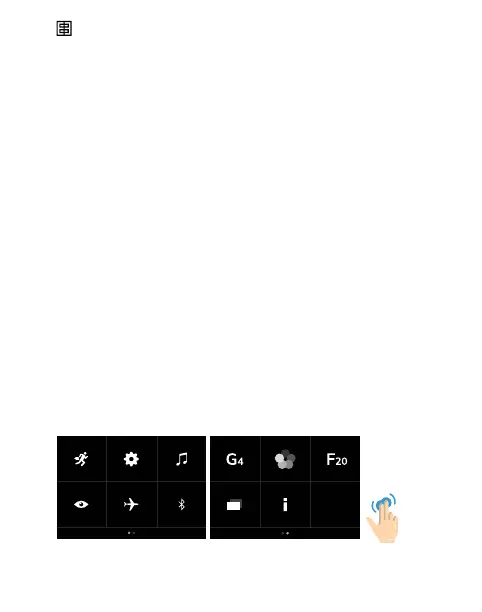
Menu Icons For Fast Access
To access the menu
short tap on screen
with 2 ngers
1
7
2
8
3
9
4
10
5
11
6
16 — ELINCHROM ONE User manual


 To Next Page