Keyboard click On / Off
Skyport On / Off
Wireless settings
for IOT update (8) SSID / Setup
1. Flash before ready: If ash before ready is
activated, a ash can be released before the
ash unit is 100% recharged, for fast shooting
sequences. Deactivated, the unit will only release
a ash when 100% recharged, for exact exposures
at any power level.
2. Flash Scale: use the power scale you prefer. The
Elinchrom scale compatible with all EL-ash units,
just the 5.8 -10 power scale, -or power in Ws.
3. Modlamp VFC: Visual Flash Control, the LED will
switch off shortly, after a ash was released as
additional ash conrmation.
4. Modlamp Scale: LED power in f-stop, same as the
EL ash scale or in percentage
5. Favourite function: In the display a favourite
function can be programmed for fast access. These
functions are available; Modlamp / Flash mode /
Audio / Photocell.
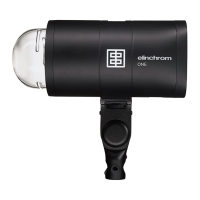
6. EL logo mode: The EL logos on both sides of the unit
can be dimmed or switched off. Additionally, they
can be used as ash control feature. The side logos
will switch off shortly after releasing a ash, visible
from ash power setting 2.5.
User manual ONE ELINCHROM — 19


 To Next Page