Firmware Update via USB-C
• Download the Updater software from elinchrom.com
• Connect the USB-C cable to the computer.
• Press the Scroll + Menu button while the unit is OFF
and connect the cable to the unit.
• When “USB Mode” is displayed, launch the Updater.
• Launch the Updater software and follow the
instruction on the screen.
Updating the IOT (Bluetooth®) Module
ONE Wireless Update procedure
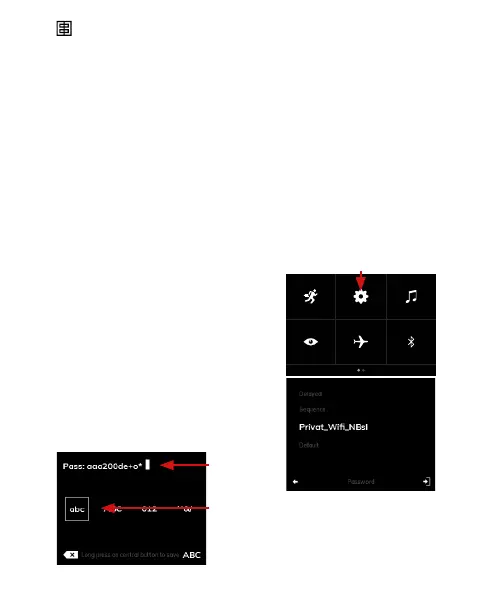
1. Go into the menu and click on
the “parameters” wheel:
2. Scroll down until the parameter
“Wireless update >>>” and enter
in the submenu.
3. Wait few seconds until the
networks are displayed and select
your one.
4. Enter your password
Parameters wheel
Select the
character
type
Password
24 — ELINCHROM ONE User manual


 To Next Page