29
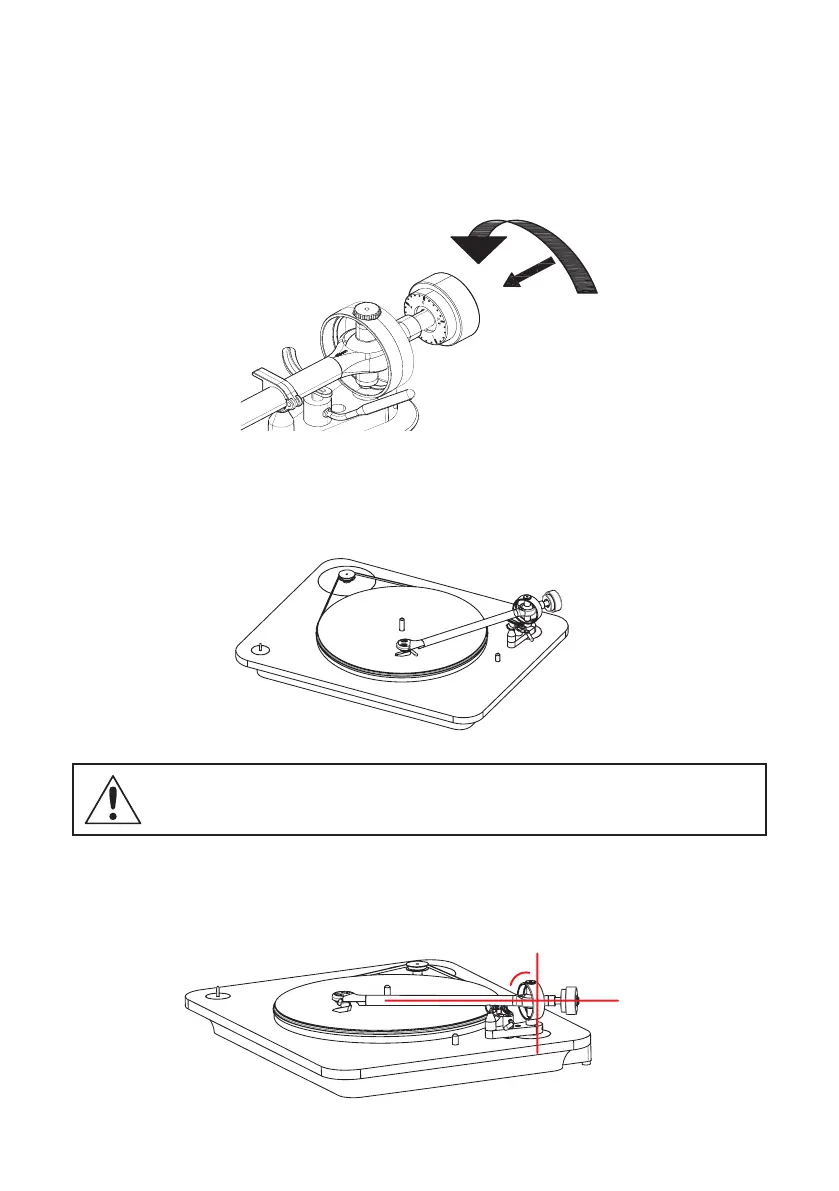
2. COUNTER WEIGHT SETUP
The counter weight balances the tonearm depending on the tracking weight of the cartridge.
1- Put the counterweight in place with the graduation wheel visible.
2- Unlock the tonearm and move down the cue control lever.
3- Move the tonearm away from its support and delicately remove the cartridge cover
(protection).
4- Adjust the counterweight until you obtain a perfect horizontal balance of the tornarm.
GENTLY MANIPULATE THE ARM TO PROTECT THE CARTRIDGE AND ITS DIAMOND.
9
0
°


 To Next Page