1918
UKUK
9. Bluetooth
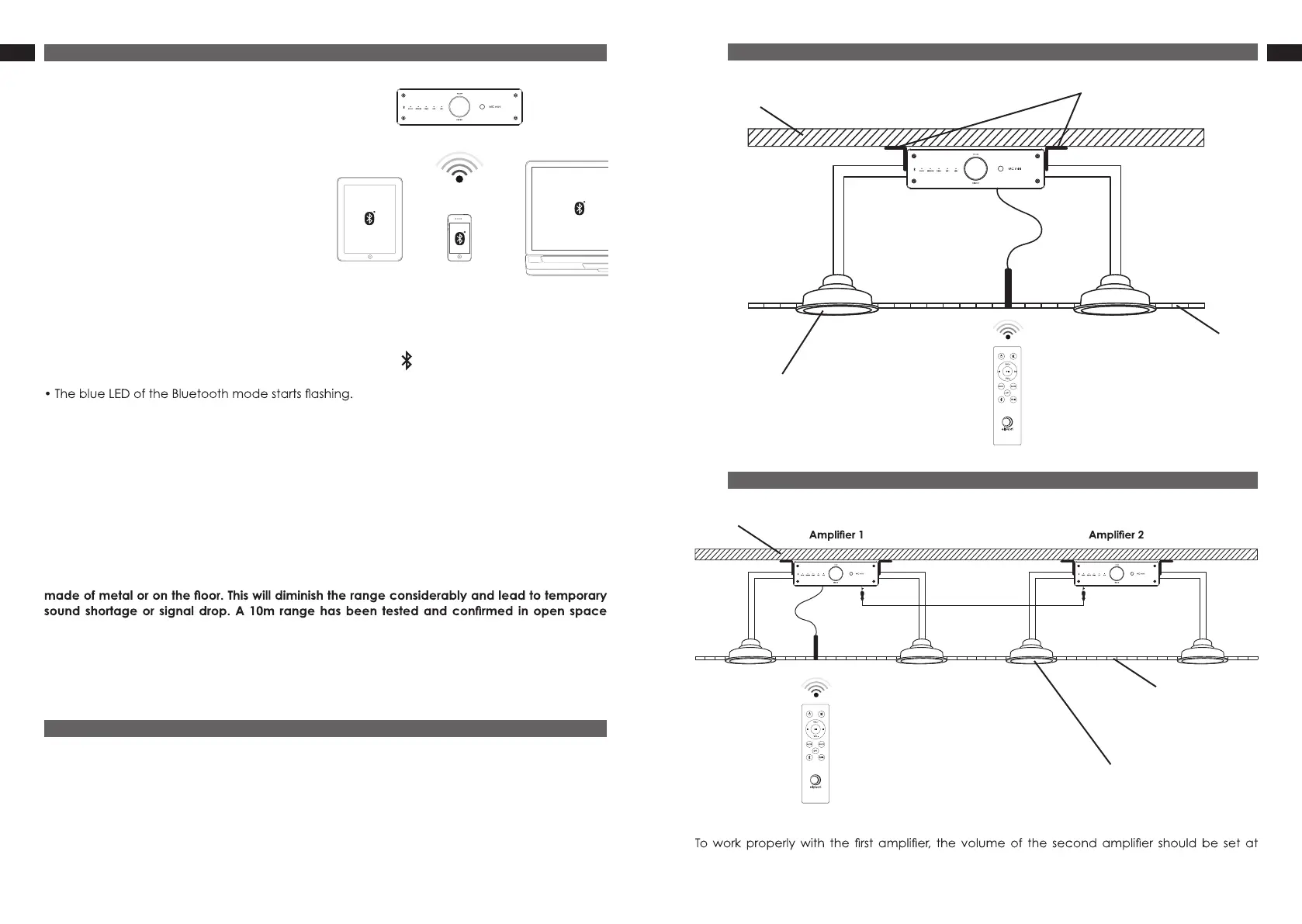
The MC mini features a wireless Bluetooth
input so you can connect your smartphone,
tablet or PC/Mac computer.
Whenever your Bluetooth source allows for
it, a Bluetooth aptX link will be established to
give you high performance audio quality.
Ceiling
Mounting
brackets
Deported
IR sensor
In-ceiling
speakers
Suspended
ceiling
L RL R
10a. Installation with 1 MC mini
Ceiling
10b. Installation with 2 MC mini
Deported
IR sensor
Suspended
ceiling
L R
IR remote control
In-ceiling
speakers
L R L R L R
3.5 mm mini-jack
AUX 1Line out
halfway position.
To connect :
• Select the Bluetooth input on the MC mini by pressing the on the remote control.
• Press the PAIR button of the remote to enter pairing mode.
• On your device, make sure the Bluetooth is on.
• In the list of available devices, select “Elipson MC mini”.
• Once connected, the blue LED of the Bluetooth mode remains steady.
• Set the MC mini volume on a low level to avoid any damage on your system.
• Play music on your device.
• Adjust the volume as desired.
The MC mini remote control will control your device’s play / pause / previous track / next track
functions.
CAUTION : to maximize your Bluetooth connectivity, do not place the MC mini inside furniture
without signal loss or drop.
10. Optional : integration in a suspended ceiling
As part of an integrated installation, you can make the MC mini very discreet by setting it in a
suspended ceiling.
Notes :
• Either upright or inverted mounting of the MC mini on the ceiling is possible.
• In order for the IR sensor to be detectable by the remote control, you will need to drill a hole
in the suspended ceiling.
IR remote control


 To Next Page