Rev. V09042023DT (DS0153) www.elitescreens.com 1
Manual B Series
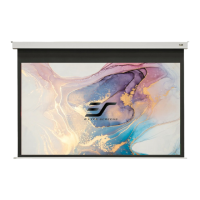
Manual Pull-Down Projection Screen
USER’S GUIDE (E/H type)
Pre-Installation
1. Carefully unpack the screen.
2. Always handle the screen in a leveled position on a clean surface.
Installation Instructions
Flush Wall Mounting
1. Measure the distance between the keyholes located on the back of the end cap
2. Mark the location of where the screen is to be installed for the pre-drilled hole.
3. After marking the area and drilling the hole, insert the proper screw into the drilled hole and leave
about 1/8” of an inch from the wall to mount the screen.
4. Mount your screen from the keyhole located on back of screen’s left and right end cap.
Flush Ceiling Mounting
1. Measure the distance between the top screw holes
located on the top of the end caps.
2. Mark the location of where the screen is to be installed
for the pre-drilled hole.
3. Drill your hole, use a hollow wall anchor if needed
4. Insert the proper screw into the drilled hole and secure
the screen to the ceiling.

 Need help?
 General






 To Next Page