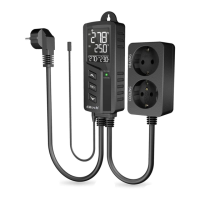
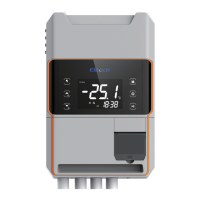
Operating Instructions
Parameter Overview
The 2 main settings on the unit are the Set Point and the Difference Parameters.
Set Point: indicates what midway humidity level the unit is to achieve.
Difference: The point away from the Set Point that the Output Relay should start or stop operating.
The difference value is the top and bottom range that you wish the unit to try and maintain. Using the following
settings of Set Point = 50% and Difference = 5% the following happens.
Humidifying Mode: the relay turns on when at or below 50% (Set Point) and turns off when at or above 55%
Dehumidify Mode: the relay turns on when at or above 50% (Set Point) and turns off when at or below 45%
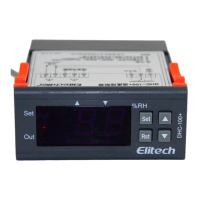
The main settings can be checked at any time: In normal mode, press the UP key to display Humidity Set
Point or press the DOWN key to display the Difference setting.
Parameter Menu and Settings
Parameter Settings can be changed in one of three different Menus. The User and Admin Menus are used to
adjust the main parameter settings marked with an F.
• User Menu: Press and hold the SET key for about 3 seconds until the display changes. This allows
changes to the Parameters F1 & F2 only. Helpful if you are only making minor adjustments.
• Admin Menu: Press and hold SET and UP keys together for about 3 seconds until the display
changes. This allows changes to the Parameters F1 to F8.
The Sensor Menu is only used to coordinate the sensor attributes with the DHC-100+ unit. These settings are
marked as B1, B2, K1 & K2. Each DHC-100+ unit is pre set with the sensor that has been attached to it as
each sensors attributes are individual to that sensor. This makes for a more accurate reading and allows users
to replace the sensor with another compatible type in the future but still allow the DHC-100+ to remain
accurate.
• Sensor Menu: Press and hold the set key for 10 seconds This changes the Parameters B1 to K2
Code Description Range
Default
F1 Set Point 10% to 99%
50%
F2 Difference 1 to 50%
5%
F3 Time delay 0 to 99 min
0 minute
F4 Alarm 0 to 50%
0 %
F5 Operate ON When Error 0 to 99 min
10 minute
F6 Operate OFF When Error 0 to 99 min
50 minute
F7 Calibration + or – 15%
0%
0= Humidify
F8 Mode Selection
1= Dehumidify
0
B1
B2
Zero Offset 5000 - 9999
K1
K2
Slope 2000 - 3999
Pre-set


 To Next Page
 Loading...