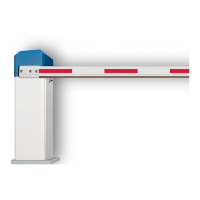
This document provides an installation manual for accessories, specifically a laser scanner, for ELKA barriers. It details the setup and integration of the laser scanner with various ELKA barrier models, including P-series and ES-series barriers, both with one and two laser scanners. The manual emphasizes safety, proper installation, and adherence to relevant standards.
Function Description:
The laser scanner serves as an electro-sensitive protective device for presence detection in ELKA barrier systems. Its primary function is to enhance safety by detecting objects or persons within defined safety fields, thereby preventing collisions with the barrier boom. This is crucial for compliance with safety standards such as DIN EN 12453 (Device E), which mandates such protection for certain barrier types. The scanner creates both a "safety field" and an "opening field," allowing for precise control and detection in the barrier's operational area. When used to protect against vehicle collision with the boom, a reference (reflector) must be installed. For barrier types utilizing swinging supports, folding skirts, or folding top and bottom skirts, at least two laser scanners are required to ensure comprehensive safety. The device is designed to be integrated into either the barrier's pillar or a dedicated aluminum housing, depending on the specific barrier model and installation requirements.
Important Technical Specifications:
The laser scanner's detection capabilities are defined by its field dimensions:
- Field Dimension X: Maximum 9.9m
- Field Dimension Y: Maximum 9.9m
- Safety Area (S): At least 200mm to the barrier boom.
- Mounting Height (H): Dependent on the demands required by DIN EN 12453 (Device E).
- Minimum Detection Dimensions (d, L, h):
- For d = 50mm, L_min = 240mm, h_min = 52mm
- For d = 100mm, L_min = 360mm, h_min = 59mm
- For d = 150mm, L_min = 480mm, h_min = 66mm
These specifications indicate the scanner's ability to detect objects of various sizes at different distances and heights, ensuring effective safety coverage. The mounting dimensions for the laser scanner in different configurations are also provided, including specific measurements for mounting brackets and screw holes (e.g., Ø5.5mm, Ø10mm, M4 screws).
Usage Features:
The laser scanner is designed for flexible integration with different ELKA barrier series:
- P 2500-5000 Series: Can be used with one or two laser scanners.
- One Scanner Configuration: A single scanner (Scanner A) covers both the safety and opening fields. The mounting bracket for Scanner A involves specific drilling patterns (Ø5.5mm, Ø10mm holes) at defined distances (e.g., 34mm, 182mm, 40mm, 80mm).
- Two Scanner Configuration: Two scanners (Scanner A and Scanner B) are used. Scanner B typically covers the first safety and opening fields, while Scanner A covers the subsequent safety and opening fields. The door installation for Scanner B has specific dimensions (e.g., 50mm, 110mm, 150mm, 20mm). When a second laser scanner is used, it must be mounted mirror-inverted to the first laser scanner on the other side of the housing.
- ES 50-80 Series: Similar to the P-series, it supports one or two laser scanners.
- One Scanner Configuration: A single scanner (Scanner A) covers both the safety and opening fields. The mounting bracket for Scanner A has different dimensions compared to the P-series (e.g., 75mm, 80mm, 100mm).
- Two Scanner Configuration: Two scanners (Scanner A and Scanner B) are used, with similar field assignments as the P-series.
- Installation into Pillar (Article No. 819 000 300): The laser scanner is mounted onto a mounting plate using a mounting base and plastic bushes as spacers. The connecting cable is routed through a hole in the mounting plate. M4 mounting screws are used to fasten the components.
- Installation into Aluminum Housing (Article No. 819 000 301): Similar to pillar installation, the scanner is mounted onto a mounting plate using a mounting base and plastic bushes. The connection cable is led out laterally under the mounting base. M4 mounting screws are used for fastening.
- Cable Protection: The connection cable of the laser scanner must be protected against mechanical influences, especially on the rear side. A cable protective tube is provided for this purpose, and its installation is illustrated.
- Positioning: Correct positioning of the laser scanner within its housing is critical. The viewing window and detection field must not be obstructed or reduced by the housing or any other on-site covers.
Maintenance Features:
The manual implicitly suggests several maintenance considerations:
- Regular Inspections: All warning and safety notices on the appliances must be kept legible, implying regular checks.
- Fault Elimination: Any faults that could pose a danger to users or third parties must be eliminated immediately.
- Qualified Personnel: All repairs and alterations must be carried out by qualified persons.
- Original Parts: Only ELKA accessories and original ELKA spare parts are allowed for alterations or extensions. Using non-approved parts voids the warranty and conformity.
- Cleanliness: While not explicitly stated for the laser scanner itself, the general preface emphasizes that the appliance should be kept clean, which would apply to the scanner's viewing window to ensure optimal performance.
- Documentation: The operating instructions must be available on site at all times and thoroughly read by all persons who use or service the appliances. This ensures that maintenance and troubleshooting are performed correctly.

 Need help?

 To Next Page
 General