EasyManua.ls Logo

Elko SHT-3 - User Manual

Elko SHT-3
22 pages
Print Icon
To Next Page IconTo Next Page
Loading...
SHT-1
SHT-1/2
SHT-3
SHT-3/2
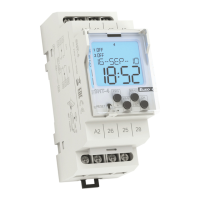
Digital time switch clock
E
N

Other manuals for Elko SHT-3

Question and Answer IconNeed help?

Do you have a question about the Elko SHT-3 and is the answer not in the manual?

Elko SHT-3 Specifications

General IconGeneral
BrandElko
ModelSHT-3
CategoryTimer
LanguageEnglish

Summary

Important Safety Warnings

Crucial Safety Precautions

Crucial safety precautions and installation guidelines for the digital time switch.

Detailed Technical Specifications

Electrical and Timing Specifications

Covers voltage, current, switching capacity, life, accuracy, and timing parameters.

Time Switch Models and Load Ratings

Electrical Load Specifications

Details contact material and load ratings for various AC and DC applications.

Mode Priority and Manual Operation

Control Mode Priority Hierarchy

Explains the precedence order among manual, holiday, random, and programmed modes.

Device Control and Menu Navigation

Button Operation and Menu Entry

Explains short/long presses, sequences, and entering the programming menu.

Setting Programs (SET 1)

Switching Mode and Timing Setup

Configuring output mode and setting program start/end times and daily activity.

Adjusting Programs (SET 1)

Deleting Programs (SET 1)

Deleting Individual Programs

Procedure for removing specific programs from the device's memory.

Clearing All Stored Programs

Steps to erase all programmed settings from the time switch.

Setting Date and Time (SET 2)

Setting Time and Display Format

Adjusting hours, minutes, and selecting 12/24 hour format.

Setting Programmed or Random Mode (SET 3)

Activating Programmed Switching

Setting the device to follow pre-defined program schedules.

Setting Pulse;Cyclic Intervals (SET 4)

Setting Holiday Mode (SET 5)

Programming Example

Setting Monday-Friday On;Off Schedule

Step-by-step guide to setting a weekly schedule for activation and deactivation.

Device Reset Procedure

Performing a Factory Reset

Instructions on how to reset the device to its default factory settings.

Related product manuals