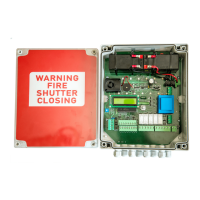
FDCP V.1
Contents
1) Specification and Installation....................................................................................
2) Connection and Indication ...........................................................................................
2.1 Mains Power Supply - In....................................................................................
2.2 Mains Supply - Out.............................................................................................
2.3 Battery...............................................................................................................
2.4 Fire Alarm Signals...............................................................................................
(2.4.1) Zone 1
(2.4.2) Zone 2
2.5 Push Button Connection....................................................................................
2.6 Key Switch Connection......................................................................................
2.7 Panic Button.......................................................................................................
2.8 Photo Beam.......................................................................................................
2.9 Relays................................................................................................................
2.10 Solenoid Release Output .................................................................................
3) Motor Configuration Examples ....................................................................................
3.1 230v AC Tubular Motors
3.2 24v d.c Tubular Motors
3.3 JM Fire shutter Motors
3.4 Volt Free (Other Motors with built on controlers)
4) Smoke and Heat Detector Configurations ...................................................................
5) Programing ...................................................................................................................
6) Repeater Panel...............................................................................................................
6.1 Connection to Repeater Panel
7) Trouble Shooting...........................................................................................................


 To Next Page