EasyManua.ls Logo

Elmo 16-CL - Page 63

Elmo 16-CL
76 pages
Print Icon
To Next Page IconTo Next Page
To Previous Page IconTo Previous Page
Loading...
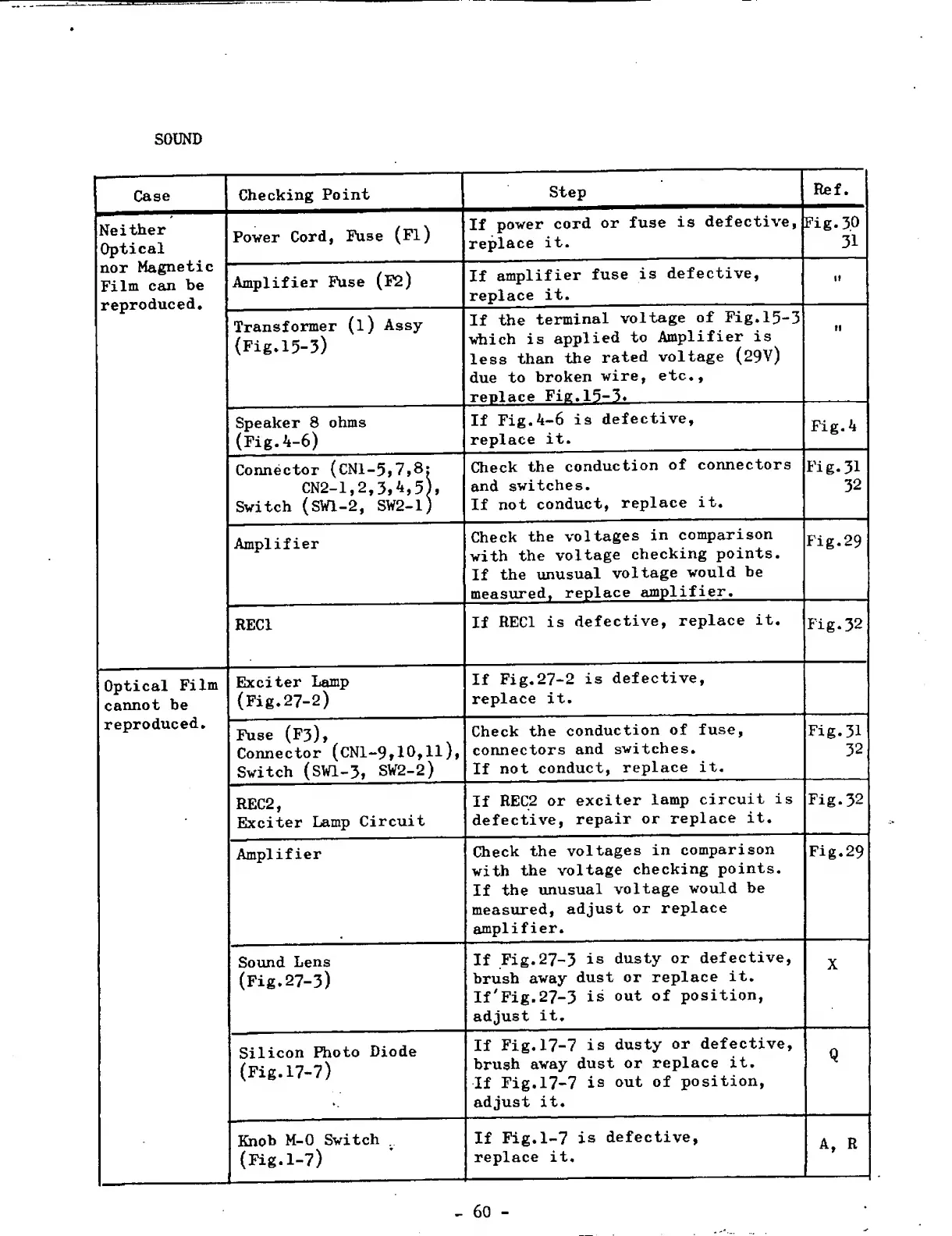
SOUND
Case
Checking
Point
Step
Neither
Optical
Power
Cord,
Fuse
(Fl)
If
power
cord
or
fuse
is
defective,
replace
it.
nor
Magnetic
Film
can
be
reproduced.
Amplifier
Fuse
(F2)
If
amplifier
fuse
is
defective,
replace
it.
Transformer
(l)
Assy
(Fig.15-3)
If
the
terminal
voltage
of
Fig.15-3
which
is
applied
to
Amplifier
is
less
than
the
rated
voltage
(29V)
due
to
broken
wire,
etc.,
replace
Fig.15-3.
Speaker
8
ohms
(Fig.4-6)
If
Fig.4-6
is
defective,
replace
it.
Connector
(CNl-5j7,8:
CN2-1,2,3,4,5),
Switch
(SWl-2,
SW2-1)
Check
the
conduction
of
connectors
and
switches.
If
not
conduct,
replace
it.
Amplifier
Check
the
voltages
in
comparison
with
the
voltage
checking
points.
If
the
unusual
voltage
would
be
measured,
replace
amplifier.
REC1
If
REC1
is
defective,
replace
it.
Optical
Film
cannot
be
Exciter
Lamp
(Fig.27-2)
If
Fig.27-2
is
defective,
replace
it.
reproduced.
Fuse
(F3),
Connector
(CNl-9»10*H)»
Switch
(SW1-3,
SV2-2)
Check
the
conduction
of
fuse,
connectors
and
switches.
If
not
conduct,
replace
it.
REC2,
Exciter
Lamp
Circuit
If
REC2
or
exciter
lamp
circuit
is
defective,
repair
or
replace
it.
Amplifier
Check
the
voltages
in
comparison
with
the
voltage
checking
points.
If
the
unusual
voltage
would
be
measured,
adjust
or
replace
amplifier.
Sound
Lens
(Fig.27-3)
If
Fig.27-3
is
dusty
or
defective,
brush
away
dust
or
replace
it.
If'Fig.27-3
is
out
of
position,
adjust
it.
Silicon
Photo
Diode
(Fig.17-7)
If
Fig.17-7
is
dusty
or
defective,
brush
away
dust
or
replace
it.
If
Fig.17-7
is
out
of
position,
adjust
it.
Knob
M-0
Switch
(Fig.1-7)
If
Fig.1-7
is
defective,
replace
it.
-
60
-

Related product manuals