10
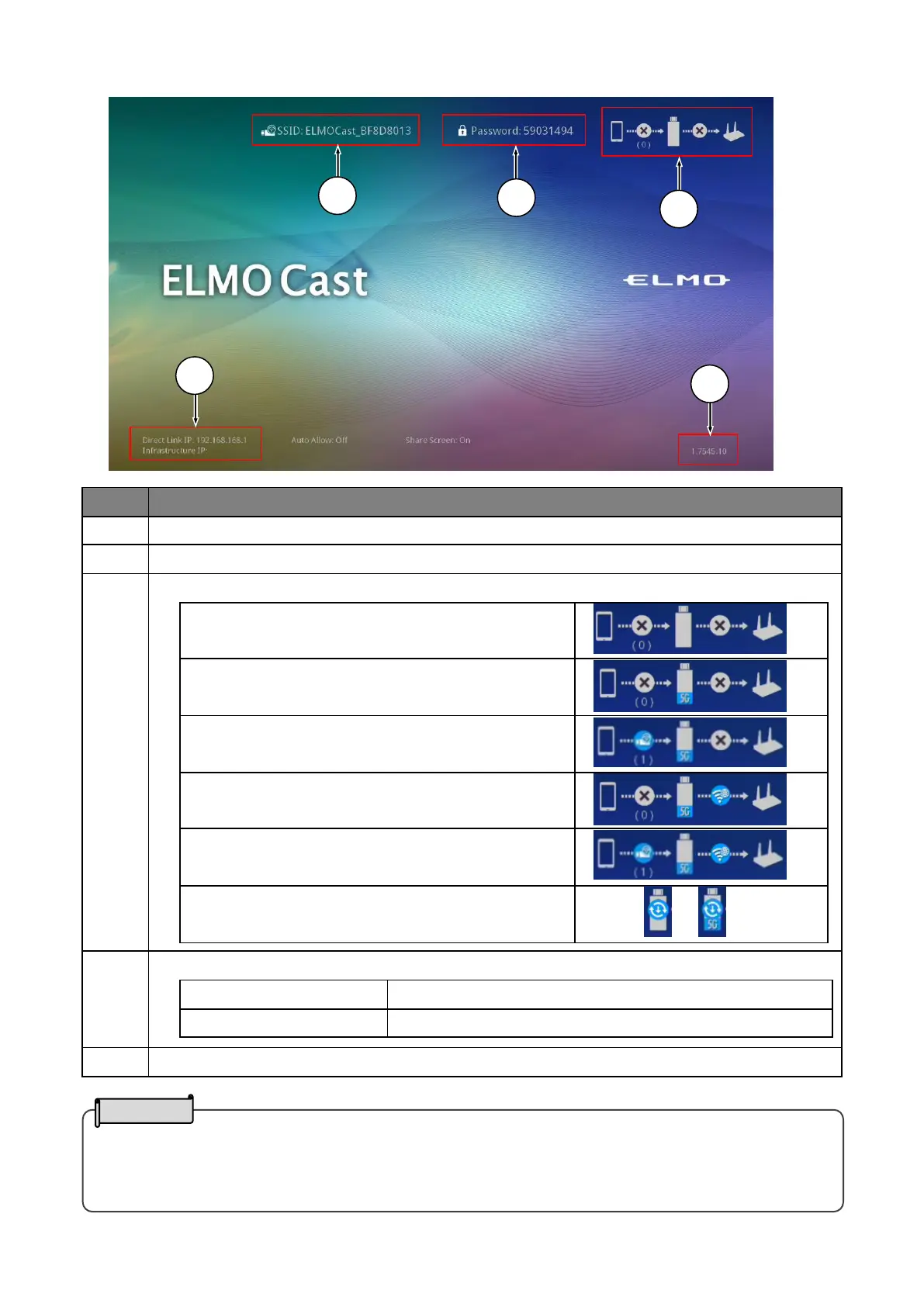
■Home screen
The connection destination of ELMO Cast.
Password of the access point of ELMO Cast.
Direct connection(WiFi)only.
Connection via router only.
(Additional network configuration required.⇒P.20)
Direct connection and connection via router.
Latest firmware is available for update.
(Perform the update as necessary.⇒P.21)
IP address of the dongle.
IP address for direct connection.
IP address for connection via router.
・It is also possible to connect the dongle to an existing network in addition to the "direct connection".
Enter the IP address in the browser and log in as an administrator. Then configure the network settings of the
dongle from the Settings screen, and connect to a wireless access point on the existing network.


 To Next Page