11
➋ Basic operations
◆Connecting to a projector or display monitor
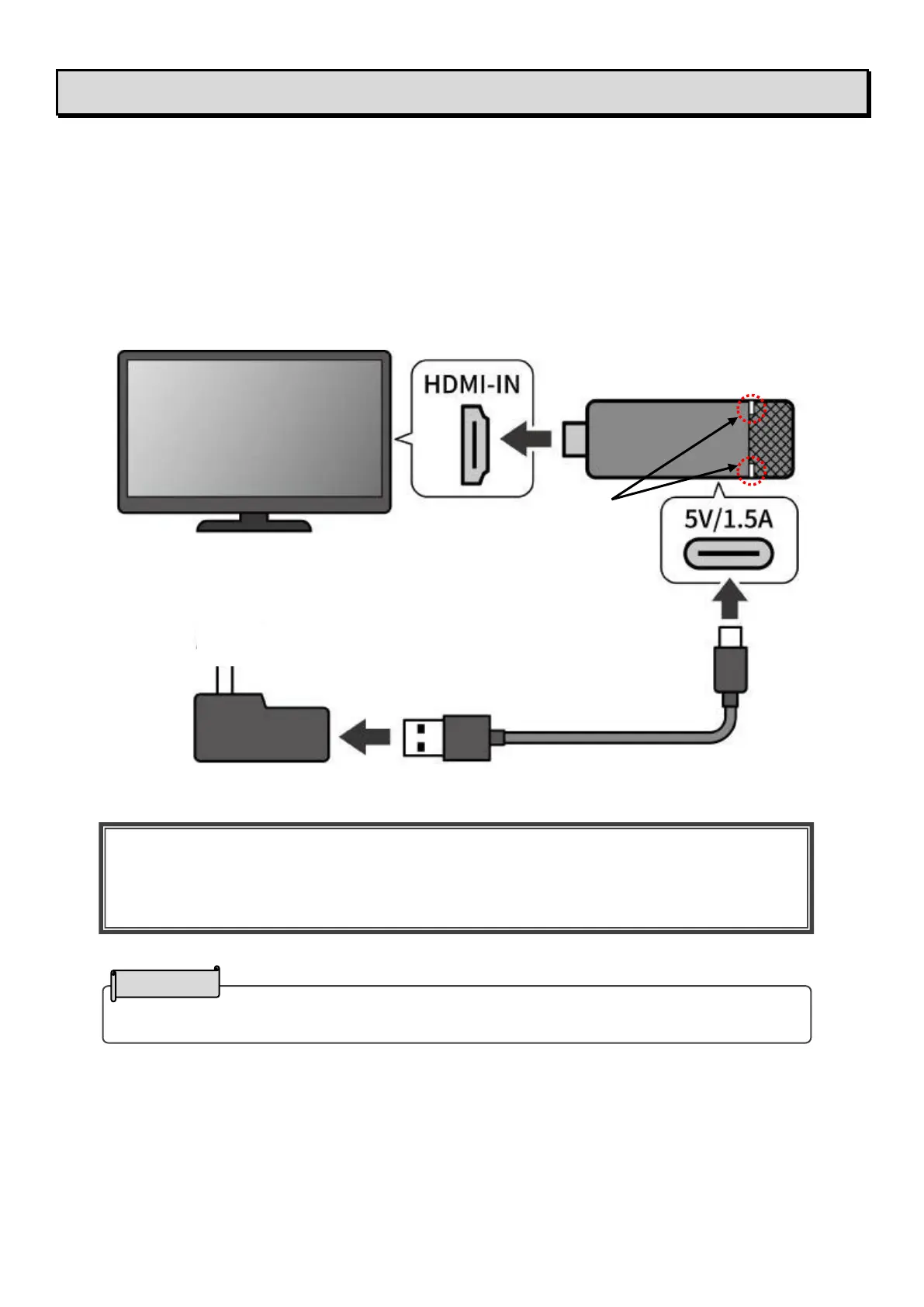
1. Connect the receiver to the HDMI input port of a projector or a display monitor.
2. Connect the receiver and the AC adapter with the USB cable for power supply.
Then connect the adapter to a wall outlet.
3. In about 3 seconds after the adapter is connected to the outlet, the power of the receiver turns on (Status LED: blue)
and the "ELMO Cast" Home screen appears on the screen.
Caution
For stable operation, do not connect the dongle to the USB port of a TV or projector or recording
device. Use the supplied AC adapter.
Use the supplied HDMI cable as necessary.
USB cable for power supply


 To Next Page