9
q
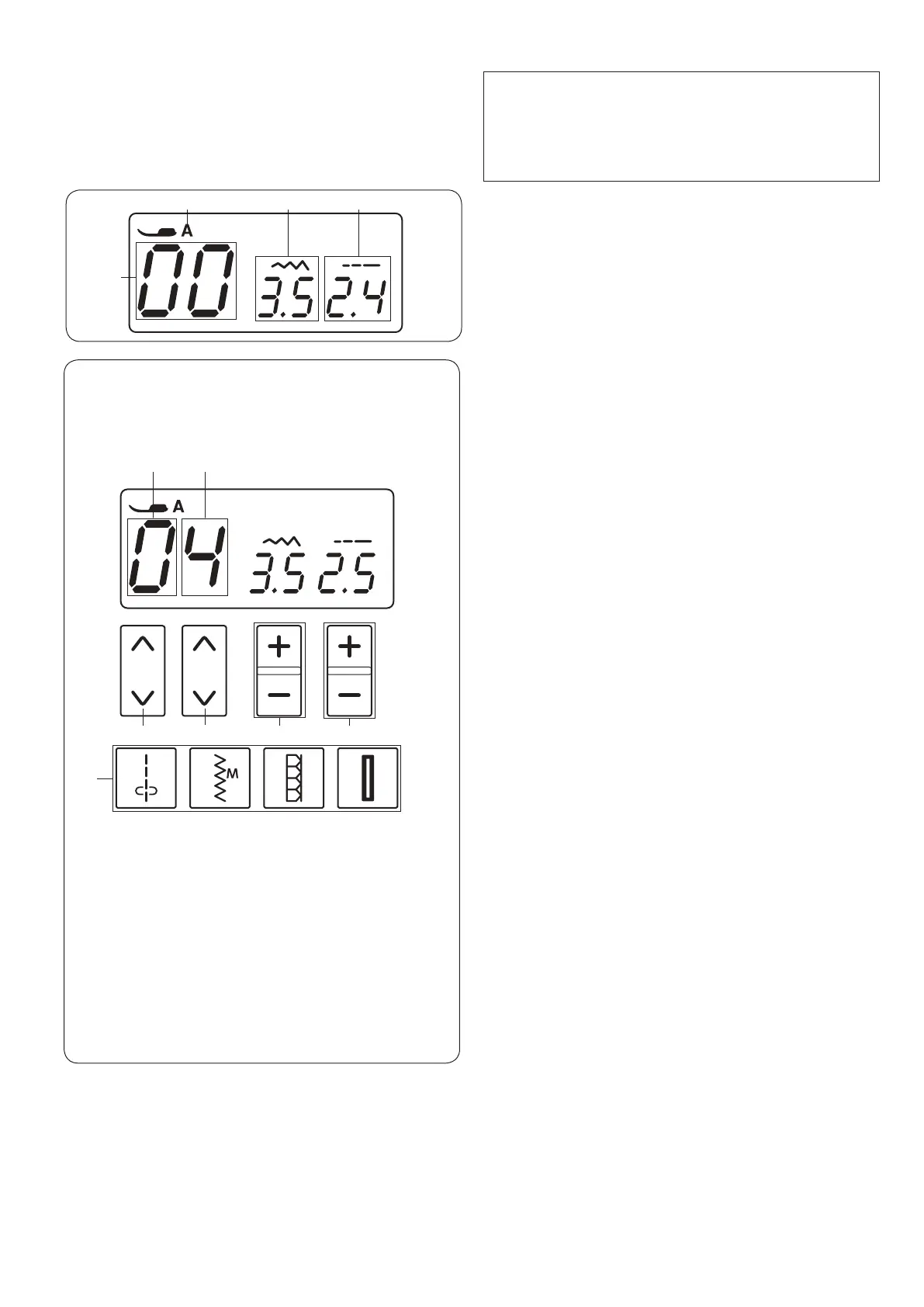
LCD Display
w
e r
Selecting Stitch Patterns
To select the desired stitch pattern, press the arrow keys
(t and y) until the pattern number of the desired stitch
is indicated.
To change the rst digit u of the stitch pattern number,
press the arrow keys t under the rst digit of the pattern
number.
To change the second digit i of the stitch pattern
number, press the arrow keys y under the second digit
of the pattern number.
t Arrow keys (rst digit)
y Arrow keys (second digit)
u First digit
i Second digit
Direct pattern selection
You can select stitch patterns 00, 06, 13 and 17 directly
by pressing the corresponding direct pattern selection
key o.
The stitch image of stitch pattern are indicated on each
key.
Stitch width adjusting key
Press “+” or “–” !1 to change the stitch width or needle
drop position, depending on the selected stitch pattern.
Refer to pages 24, 27 and 34.
Stitch length adjusting key
Press “+” or “–” !0 to change the stitch length of the
selected pattern. You can also adjust the buttonhole
density, the evenness of darning, and the size of eyelet
with this key. Refer to pages 24, 27 and 34.
y t
i u
o
NOTE:
Magnetic or electrostatic interference may cause the
LCD display to icker.
Do not use the machine near appliances that generate
a magnetic eld or an electrostatic eld such as
microwave ovens.
The LCD display shows following information when the
machine is turned on.
q Identication letter of the recommended foot
w Stitch pattern number
e Stitch width
r Stitch length
!1
!0















 To Next Page