EasyManua.ls Logo

ELNA PRO 704 DEX - Moving Blade Operations; Presser Foot Adjustments

ELNA PRO 704 DEX
66 pages
Print Icon
To Next Page IconTo Next Page
To Previous Page IconTo Previous Page
Loading...
OPERATION
PROCEDURE
BY
SECTIONS
@)
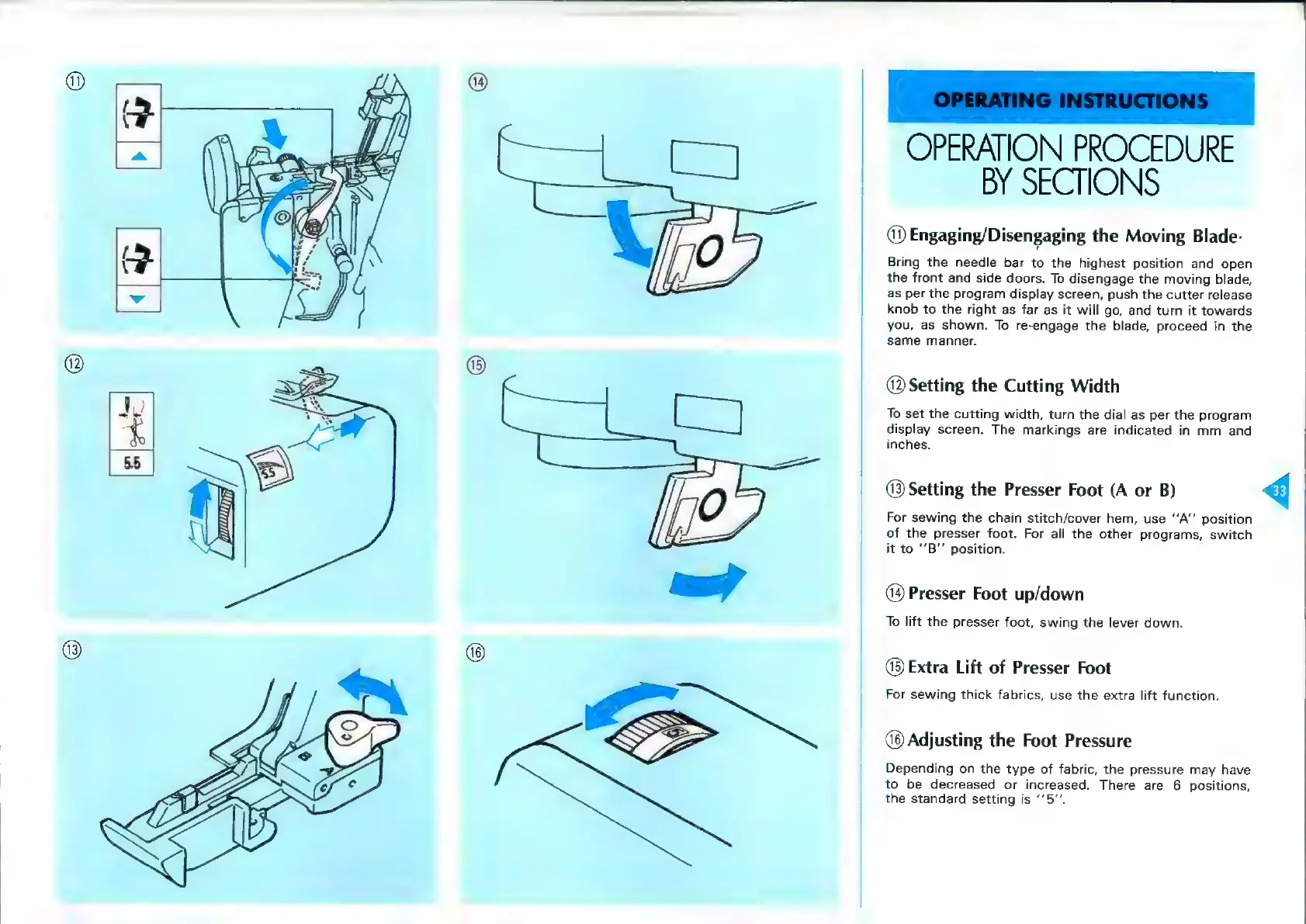
Engaging/Disengaging
the
Moving
Blade-
Bring
the
needle
bar
to
the
highest
position
and
open
the
front
and
side
doors.
To
disengage
the
moving
blade,
as
per
the
program
display
screen,
push
the
cutter
release
knob
to
the
right
as
far
as
it
will
go,
and
turn
it
towards
you,
as
shown.
To
re-engage
the
blade,
proceed
in
the
same
manner.
@
Setting
the
Cutting
Width
To
set
the
cutting
width,
turn
the
dial
as
per
the
program
display
screen.
The
markings
are
indicated
in
mm
and
inches.
@
Setting
the
Presser
Foot
(A
or
B)
<q
For
sewing
the
chain
stitch/cover
hem,
use
‘‘A’’
position
of
the
presser
foot.
For
all
the
other
programs,
switch
it
to
“‘B’’
position.
Presser
Foot
up/down
To
lift
the
presser
foot,
swing
the
lever
down.
@®
Extra
Lift
of
Presser
Foot
For
sewing
thick
fabrics,
use
the
extra
lift
function.
(8
Adjusting
the
Foot
Pressure
Depending
on
the
type
of
fabric,
the
pressure
may
have
to
be
decreased
or
increased.
There
are
6
positions,
the
standard
setting
is
‘’5”’.