Need help?
Do you have a question about the ELRO C903IP.2 and is the answer not in the manual?
Enables camera access via ActiveX in Internet Explorer.
Interface for managing camera functions, settings, and live view.
Adjusting Internet Options, specifically Trusted Sites for security.
Detailed settings for ActiveX controls in trusted sites.
Configuring scriptlets and automatic prompting for ActiveX.
Steps to connect the camera to a wireless network.
Critical warnings for installation, power, maintenance, and handling.
Instructions for connecting antenna, power, and network cables.
Steps for installing and configuring the app on Android devices.
Guide for installing and setting up the app on iOS devices.
Installing PC software and initial camera linking via Internet Explorer.
Procedures for connecting the camera to a Wi-Fi network.
Instructions for physically installing and positioning the camera.
 General
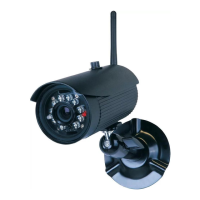
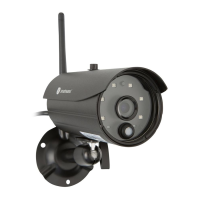
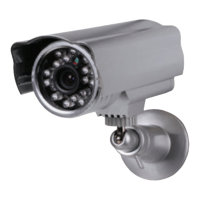
| Type | IP security camera |
|---|---|
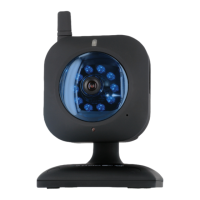
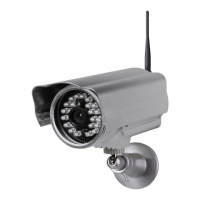
| Antenna type | External |
| Certification | CE, FCC, R&TTE |
| Placement supported | Indoor & outdoor |
| Connectivity technology | Wired & Wireless |
| Form factor | Bullet |
| Mounting type | Wall |
| Product color | Gray |
| Full HD | No |
| Maximum resolution | 640 x 480 pixels |
| Video compression formats | M-JPEG |
| Minimum illumination | 0.5 lx |
| Field of view (FOV) angle | 60 ° |
| Sensor type | CMOS |
| Optical sensor size | 1/4 \ |
| Effective sensor resolution | 300000 pixels |
| Motion sensor | Yes |
| LED type | IR |
| Night vision distance | 20 m |
| AC input voltage | 230 V |
| DC output current | 2 A |
| DC output voltage | 5 |
| Power source type | AC, DC |
| Power consumption (max) | 5 W |
| Power over Ethernet (PoE) | - |
| Sustainability certificates | RoHS |
| Operating temperature (T-T) | -10 - 55 °C |
| Minimum RAM | 256 MB |
| Minimum processor | 2.0 GHz |
| Minimum graphics card memory | 64 MB |
| Mobile operating systems supported | Android 2.2, Android 2.3, Android 3.0, Android 3.1, Android 3.2, Android 4.0, Android 4.1, Android 4.2, Android 4.2.1, Android 4.3, Android 4.4, Android 5.0, Android 5.1, Android 6.0, Android 7.1, Android 7.1.2, iOS 10.0, iOS 11.0, iOS 4.3, iOS 5.0, iOS 6.0, iOS 6.1, iOS 7.0, iOS 7.1, iOS 7.2, iOS 8.0, iOS 8.1, iOS 8.2, iOS 8.3, iOS 8.4, iOS 9.0, iOS 9.1, iOS 9.2, iOS 9.3 |
| Windows operating systems supported | Windows 7, Windows 7 Enterprise, Windows 7 Enterprise x64, Windows 7 Home Basic, Windows 7 Home Basic x64, Windows 7 Home Premium, Windows 7 Home Premium x64, Windows 7 Professional, Windows 7 Professional x64, Windows 7 Starter, Windows 7 Starter x64, Windows 7 Ultimate, Windows 7 Ultimate x64, Windows 7 x64, Windows 8, Windows 8 Enterprise, Windows 8 Enterprise x64, Windows 8 Pro, Windows 8 Pro x64, Windows 8 x64, Windows Vista Business, Windows Vista Business x64, Windows Vista Enterprise, Windows Vista Enterprise x64, Windows Vista Home Basic, Windows Vista Home Basic x64, Windows Vista Home Premium, Windows Vista Home Premium x64, Windows Vista Ultimate, Windows Vista Ultimate x64, Windows Vista x64, Windows XP Home, Windows XP Home x64, Windows XP Professional, Windows XP Professional x64 |
| Cables included | LAN (RJ-45) |
| Number of cameras | 1 |

 To Next Page