1. Launch Settings from your Home screen.
2. Tap Notifications.
3. Scroll down to find “OMGuard HD” APP and tap on it.
4. Switch the toggle to ON/OFF in Notification Center.
Note: It takes time for the changes to take effect in iOS, normally within 2 hours.
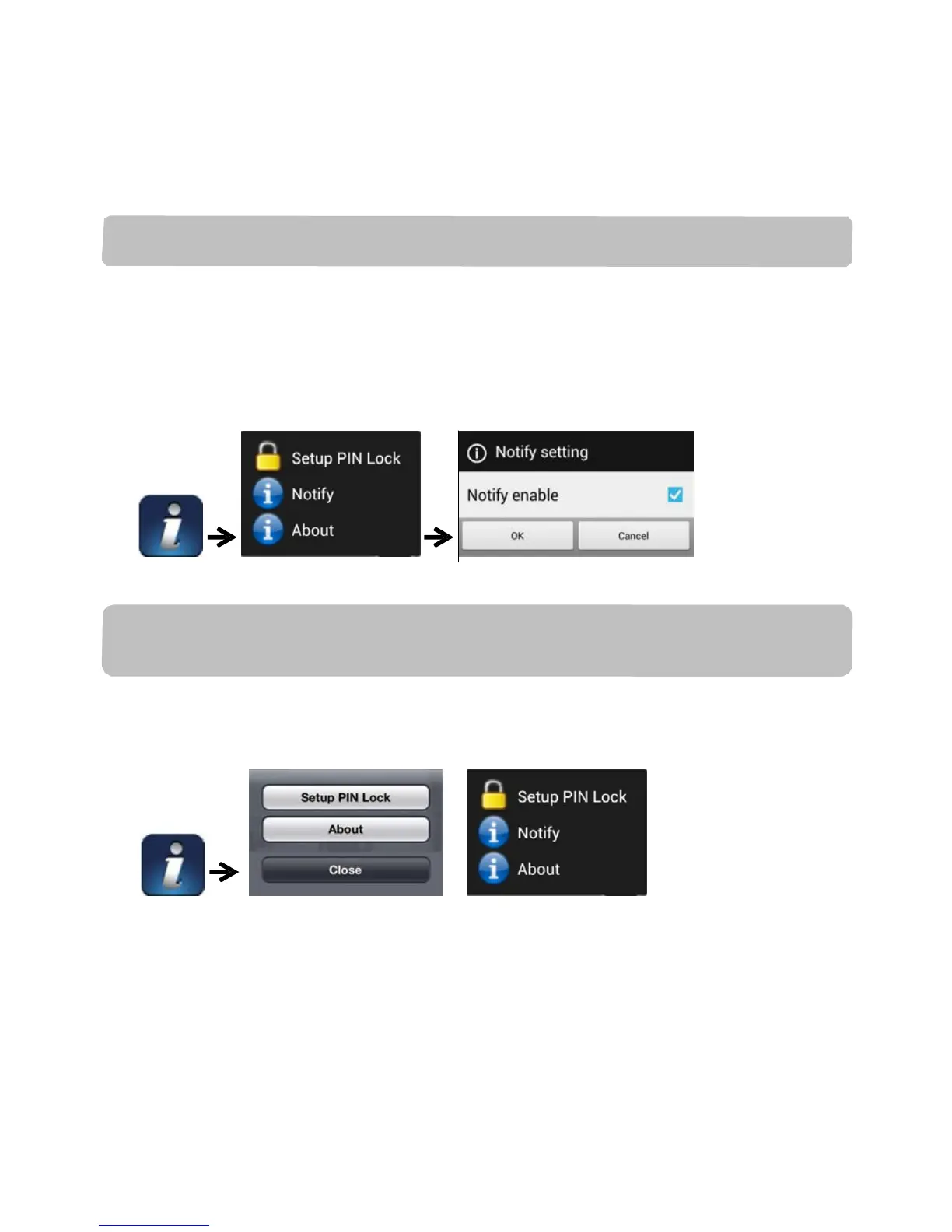
For Android
If you want to enable/disable it, please follow the steps below.
Note: The internet connection and wireless network interference may influence the
performance of push notification service.
ABOUT APP/API Version Info
(iOS) (Android)
Tap the ABOUT icon to check the APP Version when necessary.


 To Next Page