4
GB
Table of contents
Introduction 4
I Description of the product 4
II Used symbols 5
1 Precautions and safety
instructions 5
2 Composition of the product 5
2.1 Main components 5
2.2 Overview display 6
3 Assembly and installation 6
4 Operation of the thermostat 6
4.1 Setting the time 6
4.2 Setting the temperature 7
4.3 Choosing programs 7
4.4 Modifying programs 8
4.5 Temporarily deviating
from a program 8
4.6 Other settings 8
5 Malfunctions 9
6 Technicalspecications 9
6.1Generalspecications 9
6.2 Environmental conditions 10
Introduction
I Description of the product
Intended and unintended use
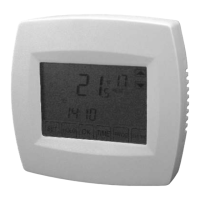
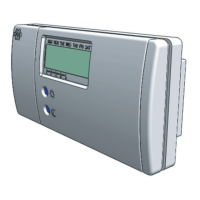
The Elro programmable room thermo-
stat KT100 is a fully automatic thermo-
stat with a total of 20 programs. The
thermostat is intended for controlling a
heating or cooling system suitable to be
switched. Any other use than the intend-
ed use described above is considered
unintended use. Elro cannot be held lia-
ble for any damage caused by improper,
incorrect or unwise use.
Operation
The thermostat operates on the basis
of a comfort, economical and frost pro-
tection temperature. You can set the
temperatures manually use preset
programs. The thermostat ensures a
comfortable temperature and can be
adjusted to your needs. By using the
economical temperature, your heating
is automatically set to a lower setting at
desired times to save energy. The ther-
mostat is only suitable for indoor use.
The thermostat should be connected
to a suitable heating or cooling system.
The proper operation of the thermostat
and control of the temperature depends
on the correct functioning of the con-
nected heating or cooling system.
This manual is intended for the user of
the thermostat. Read the manual care-
fully and keep it for later reference.
II Used symbols
Warning! The user may cause
(severe) injury to himself or seri-
ously damage the product. A warning
indicates the possibility of injury to the
user or damage to the product, if the
user does not perform the procedures
carefully.
Attention! A note with additional
information for the user. A note intended
to alert the user of possible problems.
Tip! Gives the user suggestions
and advice to perform certain tasks
easier or more convenient.
1 Precautions and safety instructions
Warning! Always disconnect the
power from the device to which the


 To Next Page
 Loading...