2
Important usage informations
While disconnecting, always disconnect camera from the holder first. After
that you can unplug the car adaptor from the socket.
To change to sound volume of the camera during recording, please press
and hold arrow up/down button.
Please check if the timezone is set properly. If the timezone setting is wrong,
the time and date setting which is automatically loaded from GPS signal can
be also incorrect.
The camera should automatically turn on after plugging into the holder. If the
auto-power on does not occure automatically, please turn on the camera
using the ON button.
Warning: the attention voice messages (railway crossing, etc.) are generated
based on GPS positions of the points of interest and its direct distance
between this point and your car. This may cause attention messages even if
your car does not drive directly through this point of interest. This function is
available only for some regions.
All buttons of the camera are designed to be used with very gentle touch. If
the button does not react, please avoid using strong power.
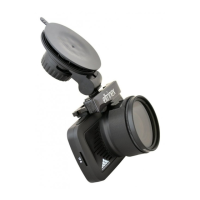
To adjust the angle of the camera holder, please disconnect the camera first
and then touch the holder only. Use both hands and adjust to requested
position. Never adjust the holder by holding the body of the camera (it can
cause crash or damage of the camera).


 To Next Page