4
Powering
This camera must be used in a car with the car adaptor connected. The
internal battery is not suitable for a long time use of the camera. Using the
proper car adaptor ensure also grounding and cleaning the signal of the
camera. Always connect the adaptor into the GPS module of the holder, not
directly to a camera!
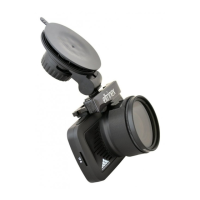
Polarizing filter
Polarizing filter is useful to remove reflections. Plug the filter to the lense.
Pay attention to keep the big hole of the filter on the top side of the lense.
Connection with PC
Use the USB cable to connect the camera with PC. Wait until the system
install drivers automatically. The camera shows in PC as a new drive. Use the
„remove hardware“ function to disconnect the camera from PC. Wait until
the system shows information that you can unplug the camera and the
screen of camera change into standard operation mode. Unplugging the
camera without using the „remove hardware“ function may result in data
loss of damage of the camera.


 To Next Page