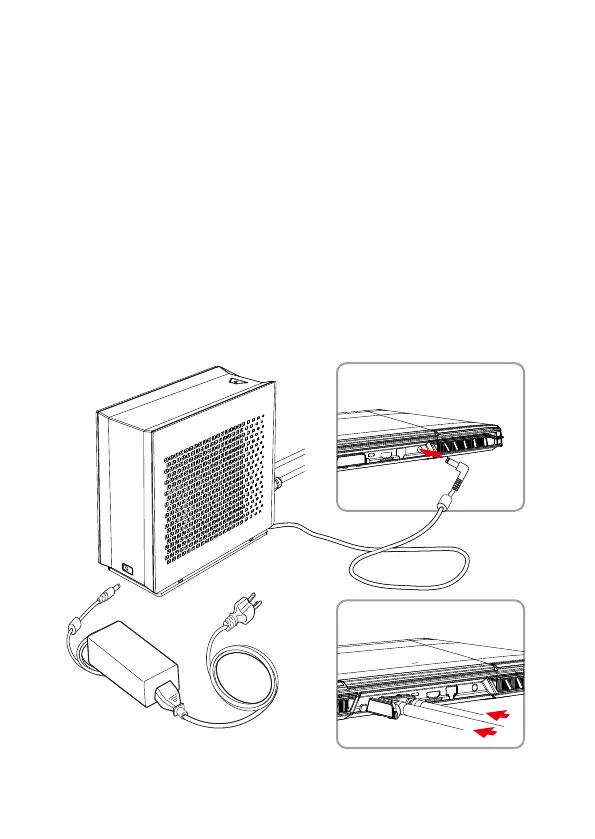
Connecting the LPP to the Laptop
1.
Place the laptop on a flat surface. Open the rubber flap on the back side
of the laptop.
2.
Insert the silver connector in parallel to the laptop. You will hear a small
click sound when attached correctly. *Note: Refrain from twisting the water
tubes. They do not need to be straightened.
3.
Connect the power adapter cable (included with your laptop) to the power
port on the back of the LPP (as shown below).
4.
Unwrap the power cord from the base of the LPP and connect to the
laptop power port (also shown below).
Note: Please do not power on the laptop or LPP just yet. Liquid needs to
be injected to the LPP to prevent air bubbles.
Insert connectors parallel into
the laptop
.


 To Next Page