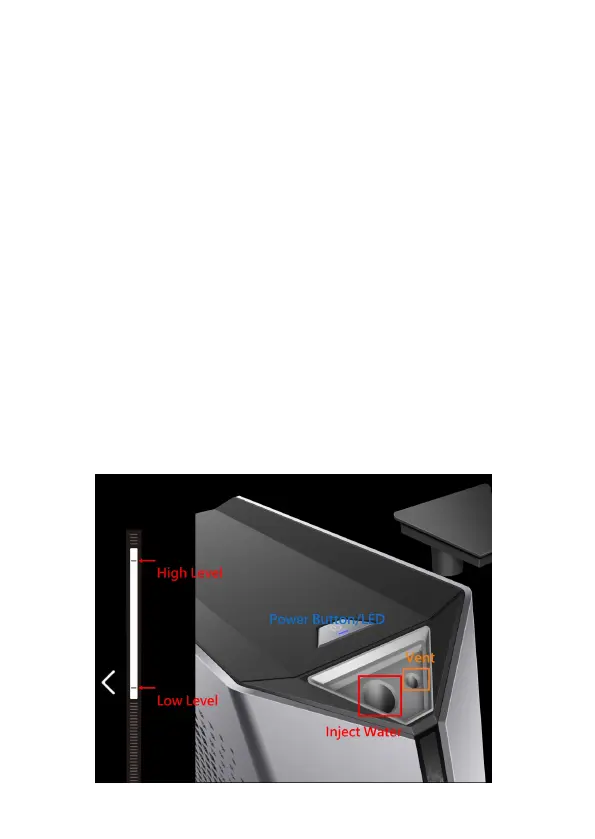
Inject liquid into the Liquid Propulsion Package
1.
Open the fill port (rubber lid) on top of the LPP. There are two holes
(illustration below). The larger hole is for filling, and the second is a
ventilation hole. Use the included funnel, and slowly begin filling with
distilled water.
2.
Monitor the level when injecting the water. Add the liquid above the MAX
indicator for the first time.
3.
Avoid tilting the box after filling. Recap the rubber lid, and make sure that
no leakage is observed.
4.
After the LPP is filled, long press the power button for 4-5 seconds. The
power button will glow in purple indicating it is entering “Liquid Injection
Mode”.
5.
Alternatively, if you've already powered on the laptop, open the
“Eluktronics Control Center” application. Click “Performance” then select
the “Liquid Propulsion Package (LPP) Control” module. Press the “Liquid
Injection Mode” to enter injection mode.


 To Next Page