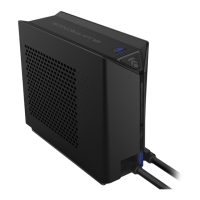
Disconnecting the LPP
1.
Disconnect via the “Eluktronics Control Center” by visiting
“Performance” - “Liquid Propulsion Package (LPP) Control”.
2.
Turn off the power using the button on top of the LPP.
3.
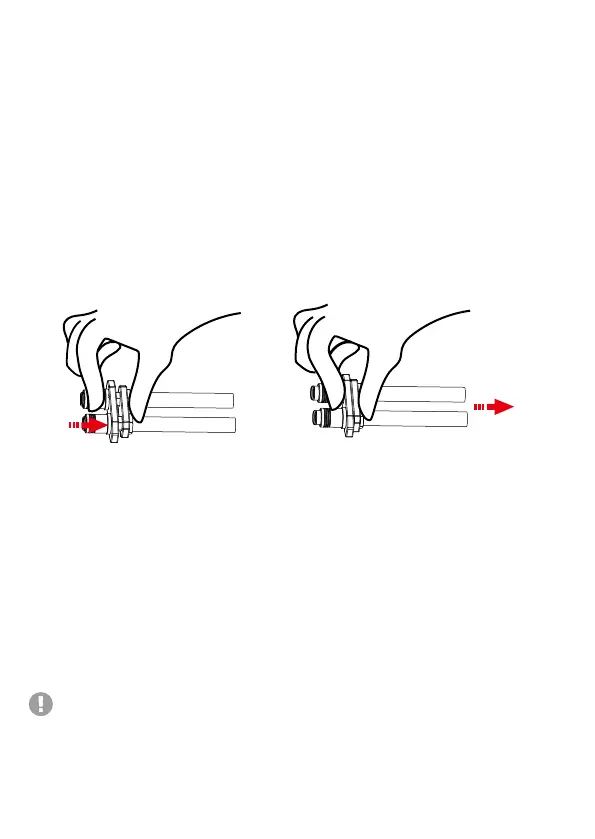
Verify the temperature of the silver connector attached to the laptop is not too
hot to touch. Gently squeeze the silver connector, and remove it from the laptop
horizontally.
4.
Drain remaining water from the laptop with the included dual head drain plug.
*This is a very important step, especially if you intend to travel with the laptop.
Take caution to keep any liquid from touching the laptop
5.
Close the rubber plug seal firmly back in to the laptop.
Squeeze the silver connector and
remove it from the laptop horizontally.
Disconnect the Water Tubes
When you are finished using the LPP and intend to disconnect the water
tubes, please follow the instructions listed below
1.
If the steps above were followed, the LPP is now powered down, the silver
connector has been disconnected from the laptop and the remaining water has
been carefully drained from the laptop as well.
2.
Gently unscrew the water tubes from the LPP.
3.
Replace the black hexagon water stoppers back onto the LPP.
To reduce the possibility of heat-induced injury or equipment overheating:
1. In the case that the connector is connected and the water is not flowing, the
connector may accumulate heat in the metal part because of the temperature generated
by the operation of the system. Therefore, please be cautious when first touching the
connector.
2. If you want to remove the quick release connector, make sure the LPP is turned off
(to avoid water leakage), and test the connector by hand to make sure the temperature
is not too high before removing it.


 To Next Page
 Loading...