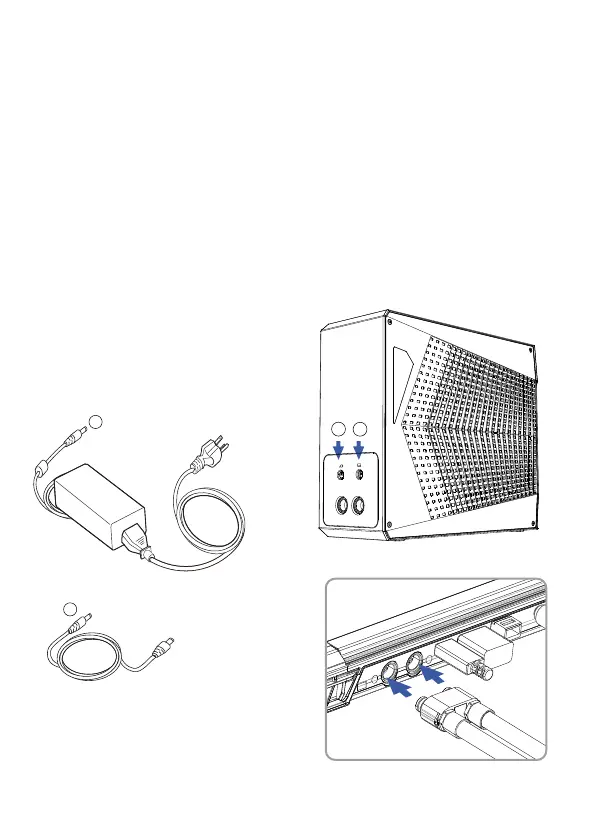
1. Place the laptop on a desk or solid surface.
2. When connecting the liquid tubes to the laptop, you will hear a light
“click” sound. This means you have connected it correctly (Please don't
pull or push the Mag-Valve connector by the tubing). Use the connector
end itself for inserting and removing.
3. Connect your included laptop power adapter to the LPP G2 DC port
(Figure 1).
4. Connect LPP G2 DC Cable to the laptop’s DC port (Figure 2). Please,
don't power on your laptop just yet.
Insert connectors
parallel into the laptop.
DC INPUT: 280 Watts (20V/14A)
or 330 Watts (19.5V/16.9A)
1
2
Connect laptop’s DC port
1
2
03 Connect the LPP G2 to your laptop


 To Next Page