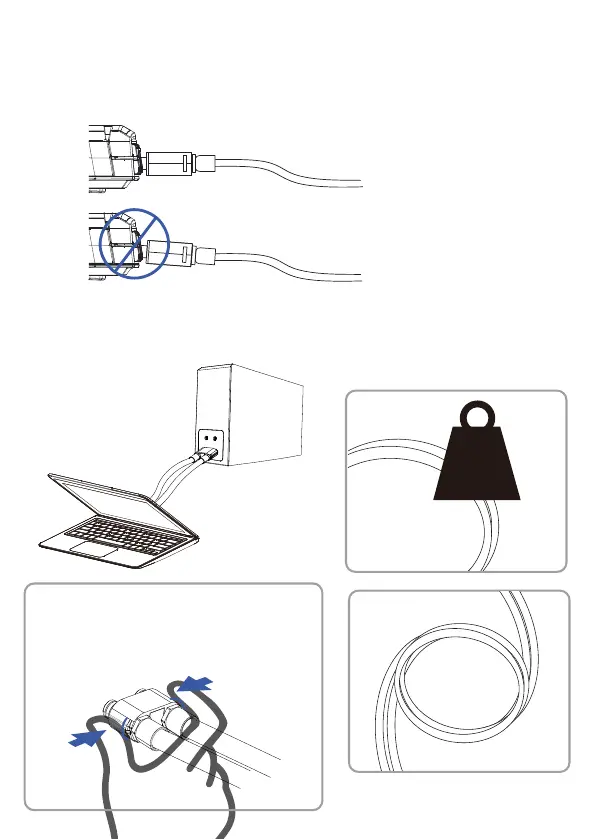
Horizontally insert the liquid tubes into the laptop. The
connector will feel sturdy and in place if performed
properly. As stated above, you will hear a light" click"
sound.
Note: Please pay attention to the following
information regarding safe use of the liquid tubes.
KG
Please don't apply
weight or objects
on the cable
Don't bend the
liquid cables
Check the connector for heat,
and release with your hands if
safe. Do not remove the
connectors by pulling on the
tubes. Use the connector as
represented here.


 To Next Page