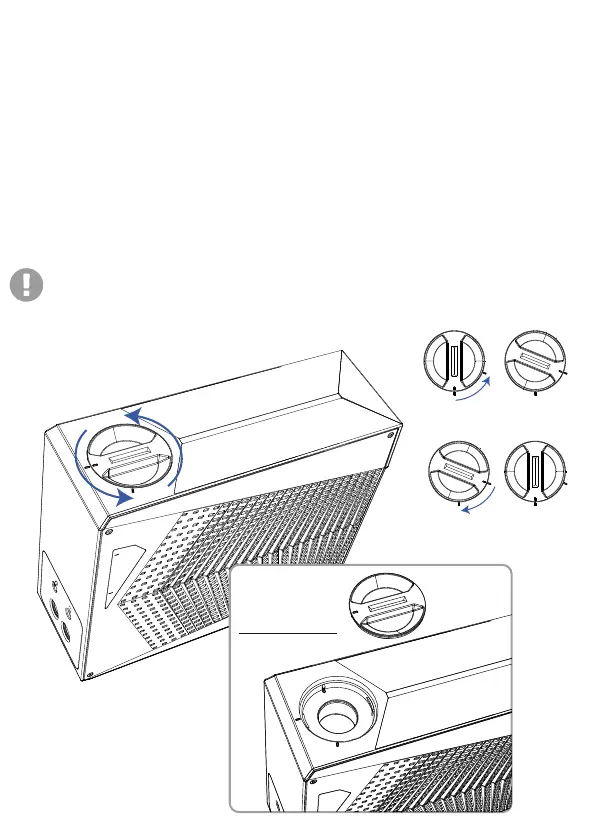
filling in
1. Open the lid on the LPP G2 unit. Add distilled water to the MAX
level indicator.
2. After filling in distilled water, hold the power button located on
the LPP G2 for 4-5 seconds. The power button will glow in purple
indicating it is entering in to “Liquid Injection Mode”.
3. Monitor the water level when injecting the water. Add the water
above the MAX indicator for the first time (Note: Under normal
circumstances, the Mag-Valve connector will not leak water).
4. Avoid tilting the LPP G2. After filling in the water, recap the
rubber lid and make sure that no leakage is observed.
The highest and lowest water levels are marked on the liquid tank meter.
Align the indicator lines
and open the lid
Align the indicator lines
and close the lid
04 Filling the LPP G2
Fill with
distilled water


 To Next Page