22
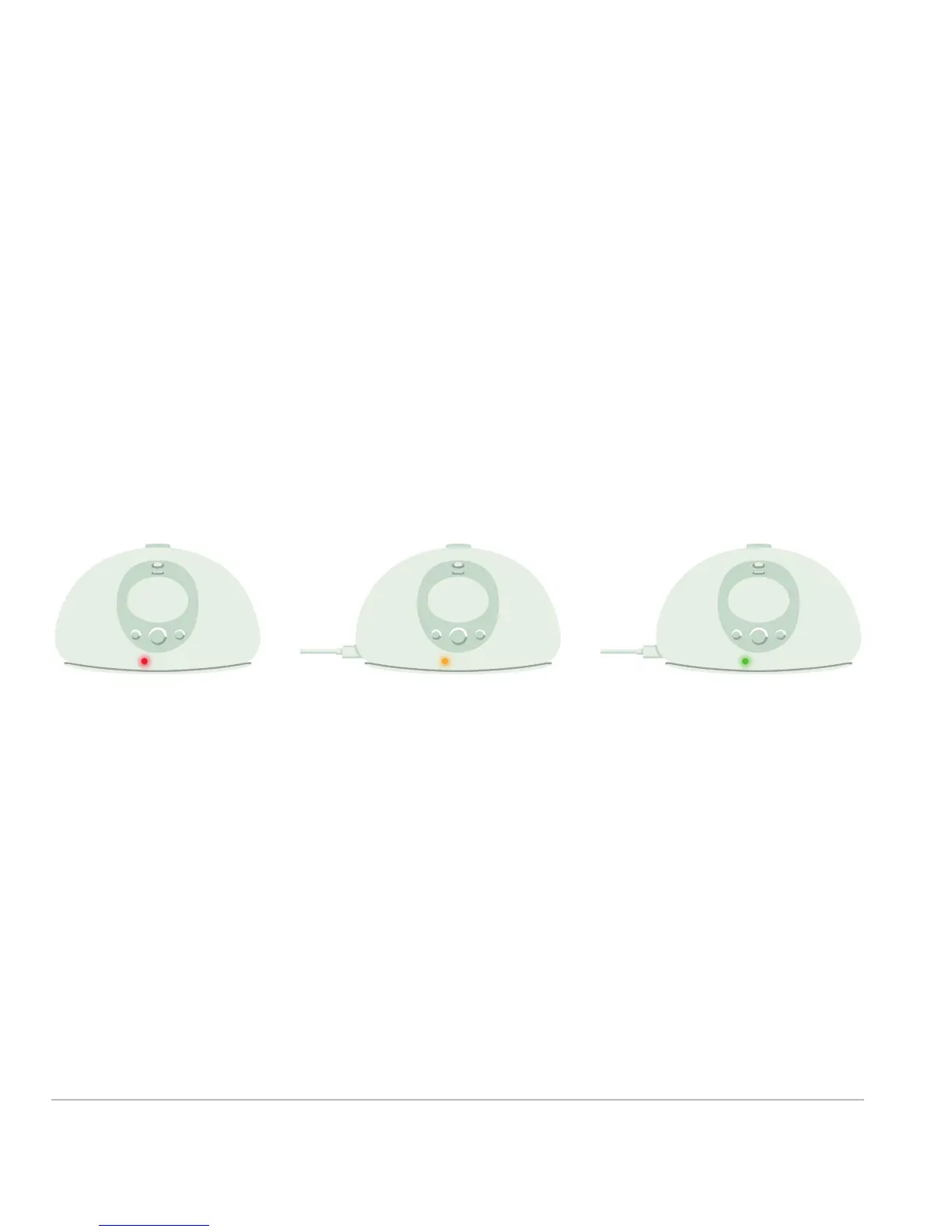
1. When the battery is low, the Battery Light will be red
2. When charging, the Battery Light will be orange. Use the Charging Cable provided to
connect Elvie Pump to a USB power source, such as your computer or phone plug
3. When fully charged the Battery Light will be green. It takes approximately two hours
to fully charge the battery, which provides approximately two and a half hours at
standard settings
Please only use the Charging Cable provided with Elvie Pump. Do not use Elvie Pump
while charging.
6. Charging
1. Battery low 2. Battery charging 3. Fully charged
Tip: Charge immediately after finishing your pumping session if low battery is indicated.



 To Next Page