89
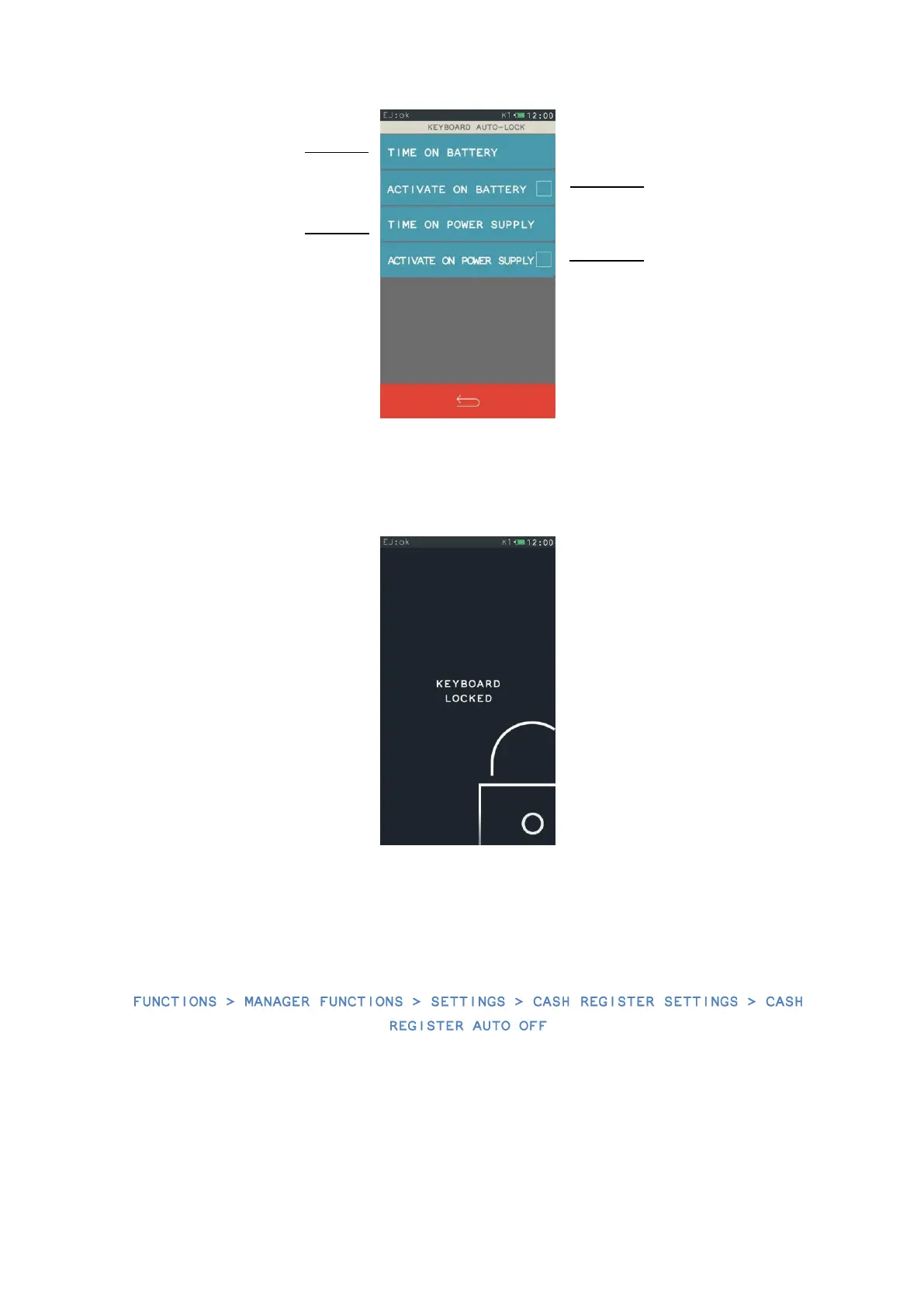
If the auto-lock function is enabled, the cash register will lock the keyboard after the time set,
and display the following message:
In order to unlock the keyboard, you should press short the “switch on” button of the cash
register.
17.4.7. Auto off function of the cash register
With this function, you can set the time for the cash register to switch off. The cash register's
automatic switching off consists in locking its functioning after a time set. The default value of
the auto switch-off function is 15 minutes for the cash register running on battery as well as
with power supply.
The minimal time of the
setting is 15 seconds, and
the maximum time is 60
minutes.
The minimal time of the
setting is 15 seconds, and
the maximum time is 60
minutes.


 To Next Page