EM Test ditoControl
Short form Introduction V 2.04 15 / 15
5.6 Input Protection
Some data can be password protected.
In this case the predefined test routines and standards can not be modified.
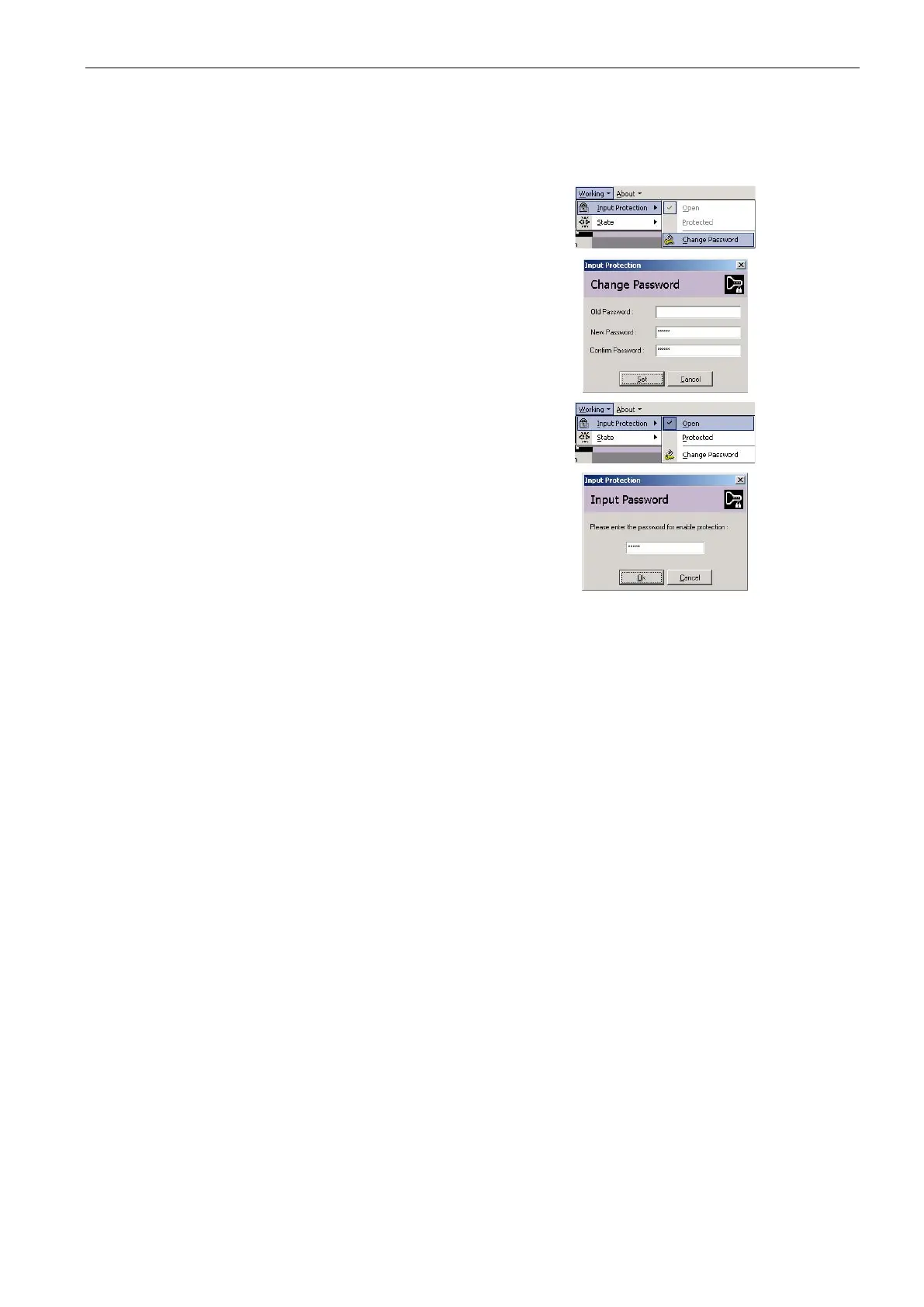
To activate the input protection please select the
menu <Working><Input Protection><Change
Password>.
Then enter the password.
The switching between Open and Protected can
be done in menu <Working><Input Protection>
Please insert the password to enable the protec-
tion.



 To Previous Page