www.emachines.com
6
Video modes
The monitor supports several video modes from 720 × 400 to 1280 × 1024. The
recommended video mode is 800 × 600 @ 85 Hz. Factory preset video modes
include:
H
F - Horizontal frequency (KHz)
V
F - Vertical frequency (Hz)
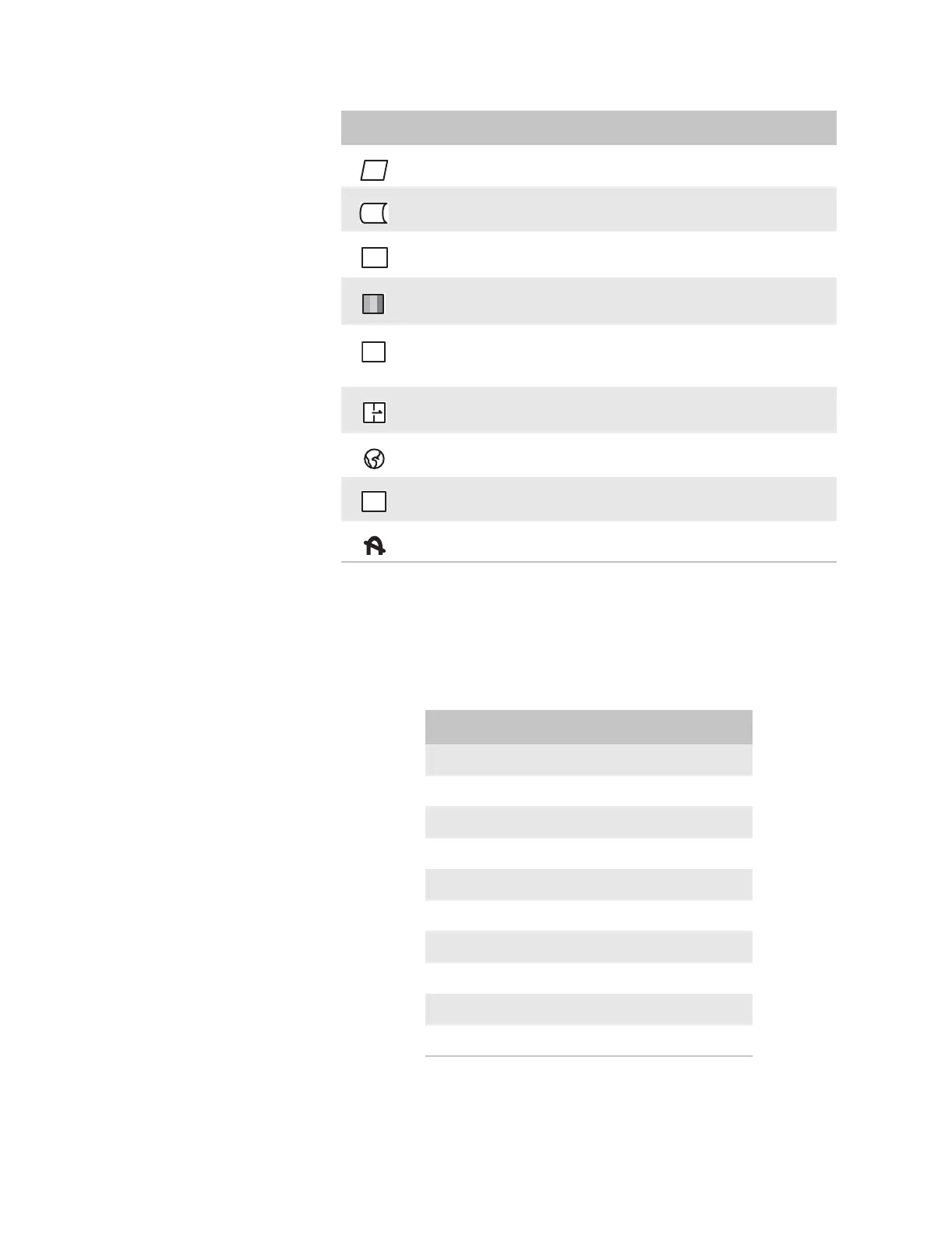
PARALLELOGRAM. Slants the display image to the left or right.
PIN BALANCE. Curves the display image to the left or right.
ADVANCED SELECT. Opens a submenu that contains menu options to adjust the top
and bottom corners of the display and horizontal and vertical moire.
COLOR. Adjusts color balance. Select from two preset factory options (9300°K and
6500°K) or USER. USER lets you adjust the red, green, and blue colors separately.
OSD ADJUSTMENT. Opens a submenu that contains menu options that let you change
the position of the OSD menu on the screen and the length of time the OSD menu is
visible.
RESET. Resets the monitor settings to the factory default settings.
LANGUAGE. Changes the display language for the OSD.
EXIT. Displays current settings and exits the OSD menu.
DEGAUSS. Demagnetizes the screen.
Icon Description
MORE
OSD
R
EXIT
Mode Resolution HF VF
1 720 × 400 31.47 70
2 640 × 480 31.47 60
3 640 × 480 43.27 85
4 800 × 600 46.87 75
5 800 × 600 37.88 60
6 800 × 600 53.67 85
7 800 × 600 63.90 100
8 1024 × 768 48.36 60
9 1024 × 768 60.02 75
10 1024 × 768 68.67 85


 To Next Page