Setting up the monitor
www.emachines.com
3
Caution
The openings in the monitor cabinet are
for ventilation. Do not block or cover
these openings. Do not insert anything
into these openings. If you put the
monitor in a bookcase or some other
enclosed space, make sure to leave at
least six inches (15 cm) around it for
ventilation.
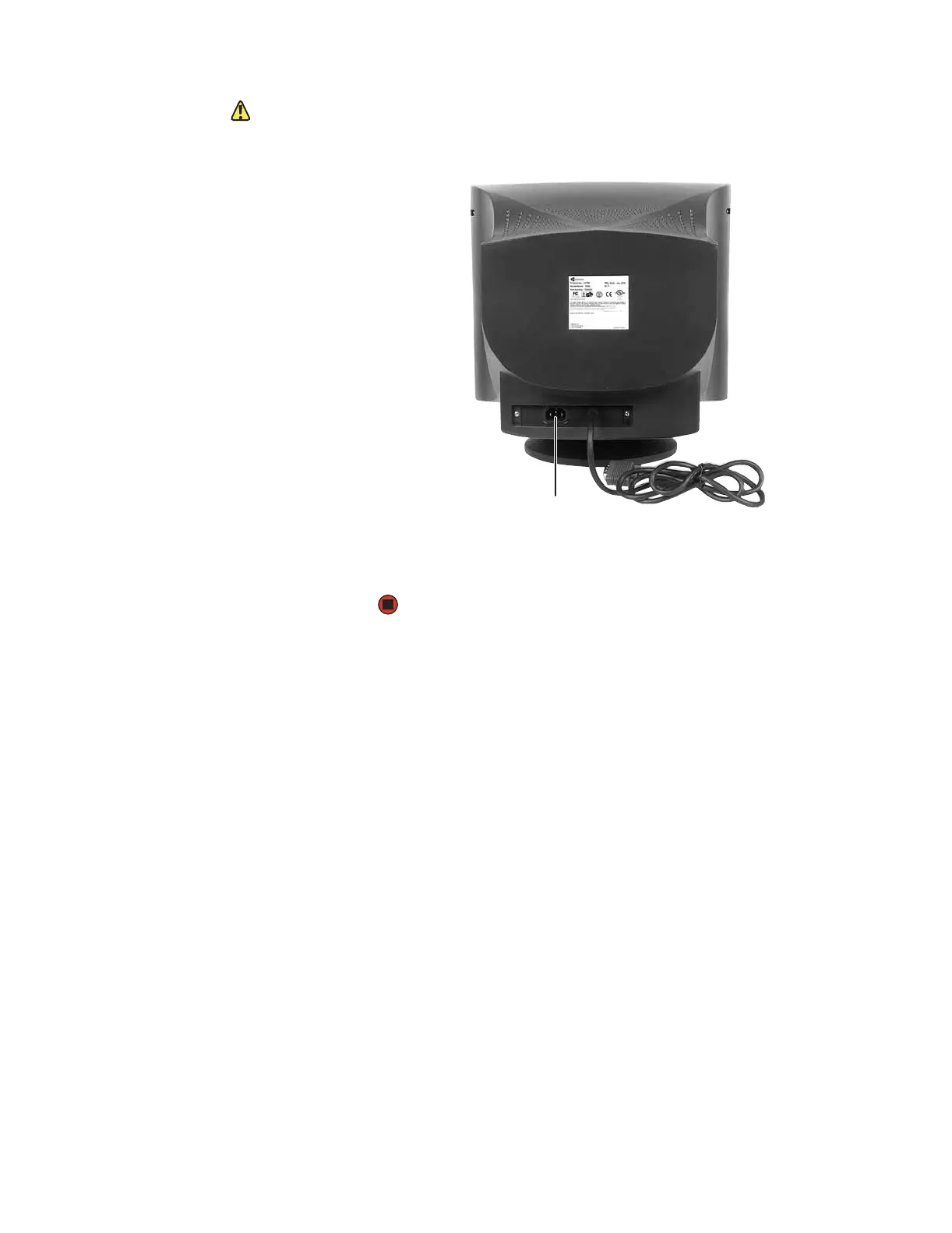
4 Connect the power cable that came with the monitor to the AC power
connector on the back of the monitor. Only use the power cable that came
with the monitor.
5 Plug the other end of the power cable into a correctly grounded electrical
outlet.
AC power
connector


 To Next Page