7
Touch and hold to move an item by dragging.
*In many apps touch and hold can offer more options.
2.
Initial Setup
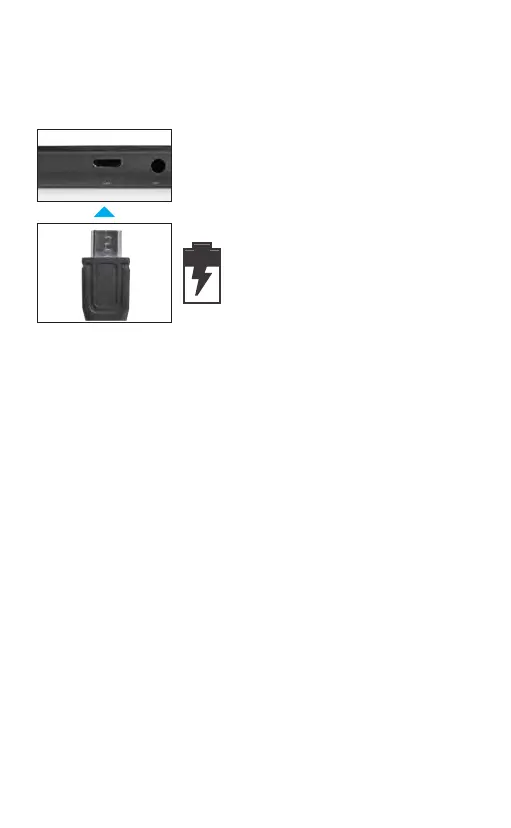
Charging
Turn on
Fully charge your tablet for 6 hours before the rst use.
Attention: Charging by connecting to a computer will
be extremely slow. We recommend only using the
included wall charger.
To start your tablet, press and hold the power key for
2 seconds. The Ematic logo indicates that the tablet is
loading.
Once the screen loads, choose your language and
connect to your Wi-Fi network. You will then be
prompted to sign in to your Google Account.
Use the included USB wall
charger.
The battery indicator will show
that your device is charging.


 To Next Page