EasyManua.ls Logo

Ematic EGS109 - User Manual

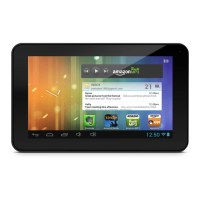
Ematic EGS109
42 pages
Print Icon
To Next Page IconTo Next Page
Loading...
1
MID User Manual
Foreword
Thank you for purchasing our product.
These operational guidelines for the user, to ensure you a quick and convenient
to use, read the instructions carefully before use.
This player is a specialized top quality portable player product with a series of
remarkable functions. There will be no separate notice in the case of any change in
content of this text.
This company will continue to provide new functions for the development of the
product, and there will be no separate change in the case of any change in the
product’s performance and functions. While this unit is used as a mobile hard disk,
this company will not be held liable for the security of files saved in the disk.
If the actual setup and the application methods are not identical to those as set
forth in this manual, please access to the latest product information of this company's
website.


Questions and Answers

  • S
    Sarah SmithJul 27, 2025
    What to do if my Ematic EGS109 Tablet is not charging properly?
    • M
      Maria MarksJul 27, 2025
      If your Ematic Tablet is not charging properly, ensure that you are using a charger that meets the player's charger requirements. If you are using a USB connection for charging, avoid connecting to computer-led USB interfaces.
  • K
    kyle74Aug 1, 2025
    Why some downloaded videos can't play on my Ematic Tablet?
    • N
      Nancy GainesAug 1, 2025
      Some downloaded videos may not play normally on your Ematic Tablet because video formats, coding methods, resolution, and code flow rates can vary. It's recommended that you use third-party video conversion software on your computer to convert the video into a compatible file format, and then copy it to your tablet.
  • L
    Linda BoothAug 5, 2025
    Why does the WiFi connection on my Ematic Tablet keep interrupting?
    • A
      Ashley WillisAug 5, 2025
      If the 'screen time' is set on your Ematic Tablet, the Wi-Fi function will turn off when the player is in standby screen saver mode to save electricity. When you wake the player, the Wi-Fi function will take about 5 seconds to resume the automatic connection.
  • C
    Carol SharpAug 9, 2025
    Why some downloaded APK programs are not working properly on my Ematic EGS109 Tablet?
    • H
      hwhiteAug 9, 2025
      Downloaded APK software may not work properly on your Ematic Tablet because these apps are often developed by users without platform compatibility testing. Also, some apps have special hardware and software requirements related to the Android system version, so some downloaded APK files may be incompatible.
  • M
    Mrs. Melanie NicholsAug 13, 2025
    What to do if my Ematic EGS109 doesn't show charging status when connected to the charger?
    • S
      Steven RollinsAug 13, 2025
      If your Ematic Tablet doesn't show charging status when connected to the charger, especially when the battery is extremely low, you need to use a DC charger for at least half an hour to show charging status.
  • R
    Robert ChavezAug 18, 2025
    Why can't I hear the voice in the headset on my Ematic Tablet?
    • B
      Bill BeanAug 18, 2025
      If you can't hear any sound in the headset connected to your Ematic Tablet, please check the headphone connection.
  • E
    Ethan KennedyAug 22, 2025
    Why can't I use gravity induction function on my Ematic EGS109 Tablet?
    • A
      Alan CervantesAug 22, 2025
      If the gravity induction function isn't working on your Ematic Tablet, it may be because the specific application you're using doesn't support it. This relates to software support, not the tablet's functionality.

Summary

Basic Operation

Power on

Instructions for turning the device on.

Power off

Instructions for turning the device off.

Points for Attention

Main interface

Installed APK

Choose the path of the APK is application

Selecting and installing an APK application file.

Uninstall APK application

Click on the uninstall icon to start program the unloading

Steps to uninstall an application from the device.

Video Player

Audio Player

Accessing and using the music player.

Pictures

Call function

Make a call

Instructions for making phone calls.

Contacts

Messaging

Settings

Connect the computer

3 G network Settings

Ethernet network Settings

Hi-Q MP3 Recorder

Factory data reset

Upgrade Player Driver

Common troubleshooting

Players cant boot

Steps to troubleshoot devices that fail to boot.

Player charging abnormalities

Troubleshooting problems with device charging.

Specification

Ematic EGS109 Specifications

General IconGeneral
BrandEmatic
ModelEGS109
CategoryTablet
LanguageEnglish

Related product manuals