Preparation
Preparation
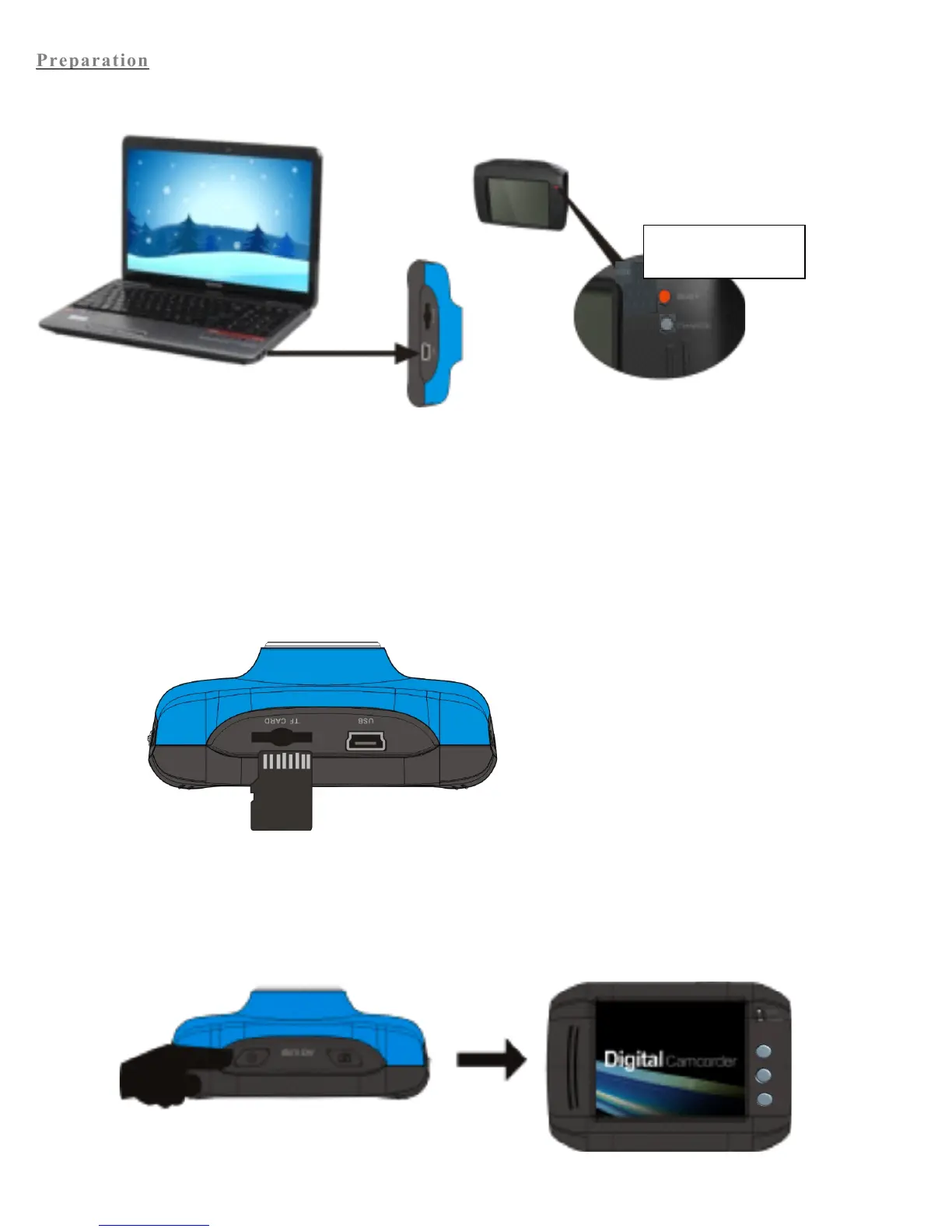
1. Charge built-in lithium battery
In power-off state, connect the ActionCam to a computer to begin charging. The charger indicator will light up when
charging, and will turn off when the ActionCam is fully charged. Generally, it takes about 2-4 hours for the
ActionCam to be fully charged.
2. Use memory card
1. Fully insert a memory card into the memory card slot.
2. To take out the memory card, gently press down the memory card to eject.
Note: The ActionCam is not equipped with a built-in memory, and thus a memory card is required.
3. Power On/Off:
1. Power On: Press and hold the power key for 3 seconds. The screen should turn on and the ActionCam will enter
the startup state.


 To Next Page