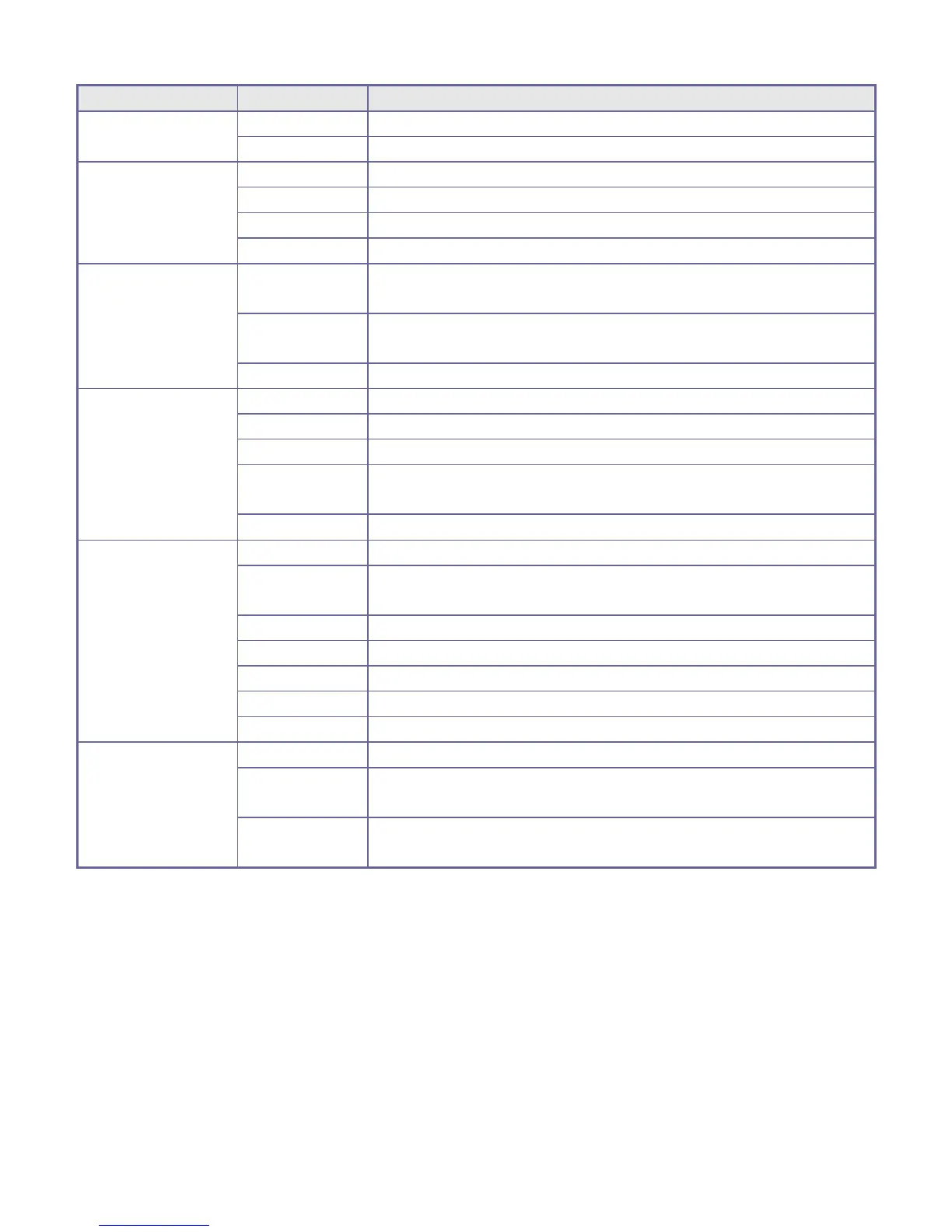
Medium-resolution format.
Set record for 1 minute as a repeating phase.
Set record for 3 minutes as a repeating phase.
Set record for 5 minutes as a repeating phase.
Metering subject to the central area.
Metering subject to multi-points.
Metering subject to one point.
Using automatic white balance, suitable for most environments.
Suitable for daylight environment.
Suitable for cloudy environment.
Suitable for fluorescent light source environment.
Suitable for tungsten light source environment.
Turn off display date/time on the file.
During capture/record mode, display date on right bottom corner
of the file.
During capture/record mode, display date and time on right
bottom corner of the file.
7. Video recording:
Push the Mode switch to Video Mode. Open the menu, press the Down key, and then select “REC interval”. Then
press the shutter-release button to enter the sub-menu with the 1-minute, 3-minute, and 5-minute recording loop mode
options. Select a recording loop option and press the OK key for confirmation. Press the OK key again to exit from
the menu. Press the shutter-release button to start video recording. During video recording, the ActionCam will
automatically stop recording video based on your 1-minute, 3-minute, or 5-minute selection and will immediately
start a new video recording with the same time limit. This process will continue until you press the shutter-release
button to stop recording or when the memory card is full.
WARNING! When the memory card is full, the earliest recorded files will be deleted to create space for new
video recordings. This process will continually repeat when loop recording is on.


 To Next Page