Applications
|
30
To
To
To
Todelete
d elete
delete
deletefiles:
f iles:
files:
files:
1TaptheFile
F ile
File
FileBrowser
B rowser
Browser
Browsericon .
2Tapandholdonthefolder/fileyouwanttodelete.
3TapDelete
Delete
Delete
Delete.
4TapOK
OK
OK
OKtoconfirmthedeletion.
My
My
My
MyMusic
Music
Music
Music
NOTE:
NOTE:
NOTE:
NOTE:ThedevicesupportsMP2,MP3,WAV,AAC,andWMAfile
formats.
To
To
To
Toplay
p lay
play
playmusic
m usic
music
music:
:
:
:
1TaptheMy
M y
My
MyMusic
M usic
Music
Musicicon .
2SelectanaudiofilefromAll/Albums/Artists/Directories/My
Favorites/UserDefinedPlaylists.
3TapthePause
Pause
Pause
Pauseicon tostopthemusic.
4Toleavethemusicplayingandreturntopreviousscreens,tap
theBACKiconortheHOMEicon toreturntothe
HOME
screen.
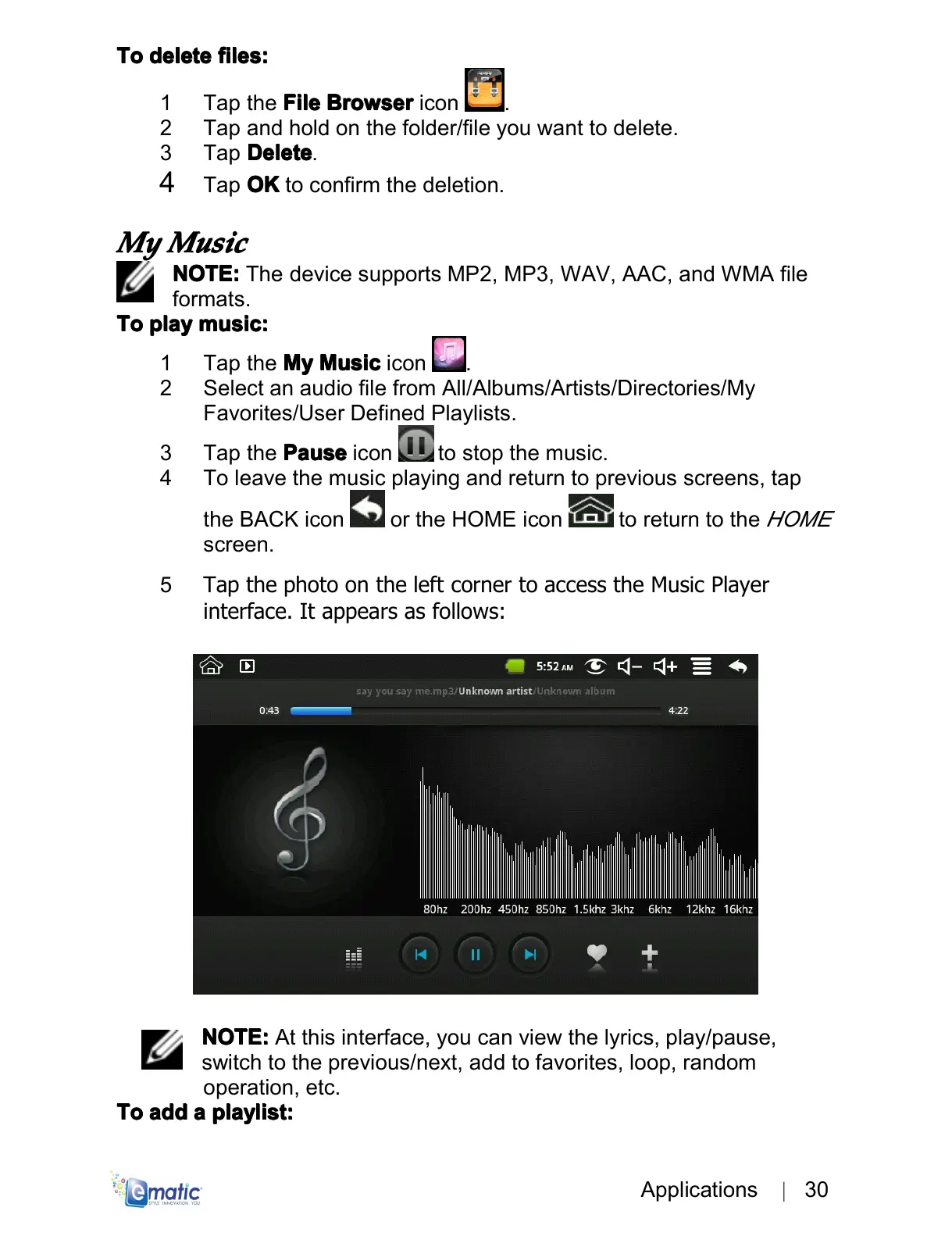
5TapthephotoontheleftcornertoaccesstheMusicPlayer
interface.Itappearsasfollows:
NOTE:
NOTE:
NOTE:
NOTE:Atthisinterface,youcanviewthelyrics,play/pause,
switchtotheprevious/next,addtofavorites,loop,random
operation,etc.
To
To
To
Toadd
a dd
add
adda
a
a
aplaylist:
p laylist:
playlist:
playlist:



 To Next Page