8. CHARGING
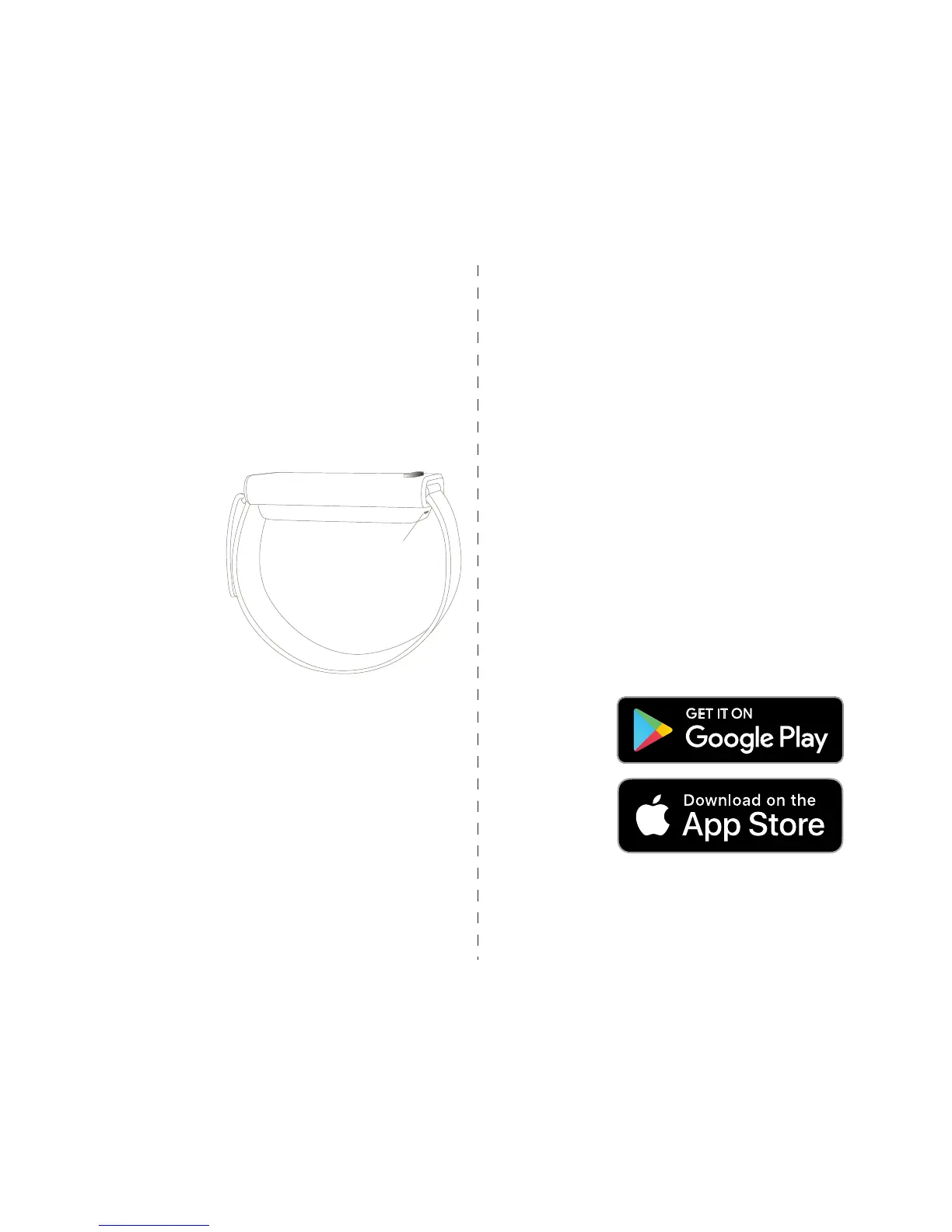
Micro USB port
9. MOBILE APP
Why use the app?
1. The Embr Wave mobile app gives you an overview
of your recent usage of warming and cooling so that
you can better understand your comfort trends.
You’ll be able to view your daily usage, as well as
compare weekly usage with your personal baseline.
2. Based on your usage, the app also gives you
quick comfort tips.
3. The app also keeps your device updated by alert-
ing you about available software upgrades. We’ll
keep releasing periodic upgrades as our technology
continues to advance!
Before first use, you should charge Embr Wave.
To recharge Embr Wave, plug the included micro
USB cable into the port beneath the device. The
lights will gently pulse green, and will remain solid
green when charging is complete.
When fully charged, Embr Wave will have a battery
life of 20-50 cooling or warming sessions.
Note: Before charging, be sure the product is at
room temperature, between 0ºC and 45ºC.
Use the supplied USB
cable to connect Embr
Wave to a powered USB
port on your computer
or an agency-approved
wall charger (not sup-
plied).
Allow up to 1.5 hours
for a full charge.
Apple and the Apple logo are trademarks of Apple Inc., registered in the
U.S. and other countries. App Store is a service mark of Apple Inc., reg-
istered in the U.S. and other countries.
Google Play and the Google Play logo are trademarks of Google LLC.


 To Next Page